腾讯云MCP技术详解:从核心概念到SSE连接实战
原创
腾讯云MCP技术详解:从核心概念到SSE连接实战
原创
大王叫我来巡山、
发布于 2025-08-25 11:26:44
发布于 2025-08-25 11:26:44
什么是腾讯云MCP?
腾讯云MCP(Model Context Protocol)是一项创新技术,它实现了大型语言模型与外部工具、数据源和服务的高效连接。通过标准化协议,MCP让AI应用能够安全、可控地访问外部系统和实时数据,大大扩展了AI模型的实际应用能力。
腾讯云MCP广场作为这一技术的实现平台,为开发者提供了便捷的MCP服务管理和部署环境,让开发者能够快速构建和集成基于MCP的应用。
MCP核心功能模块
1. 服务器管理
MCP服务器是核心组件,负责管理模型与外部资源之间的通信。每个MCP服务器可以定义多种资源、工具和提示模板。
2. 资源管理
MCP允许定义各种类型的资源,包括:
- 只读数据资源(如数据库查询结果)
- 实时数据流(如SSE连接)
- 文件系统资源
3. 工具调用
通过MCP,AI模型可以调用外部工具和函数,如:
- 数据库查询操作
- API调用
- 系统命令执行
4. 提示模板管理
提供可重用的提示模板,标准化与AI模型的交互方式。
MCP操作逻辑与优势
操作逻辑
- 连接建立:客户端通过SSE或WebSocket与MCP服务器建立连接
- 能力协商:客户端和服务器交换支持的功能列表
- 请求处理:客户端发送请求,服务器处理并返回结果
- 资源访问:通过标准化方式访问外部资源
- 工具调用:安全地执行外部工具和函数
核心优势
- 标准化接口:提供统一的资源访问和工具调用标准
- 安全可控:细粒度的权限控制和访问管理
- 扩展性强:轻松集成各种外部系统和服务
- 实时性能:支持SSE等实时数据流协议
- 开发效率:减少重复工作,快速构建AI应用
腾讯云MCP广场SSE URL连接配置实战
下面将详细介绍如何在腾讯云MCP广场配置和使用SSE URL连接服务。
步骤一:登录腾讯云MCP广场
首先访问腾讯云MCP广场并登录您的账户。
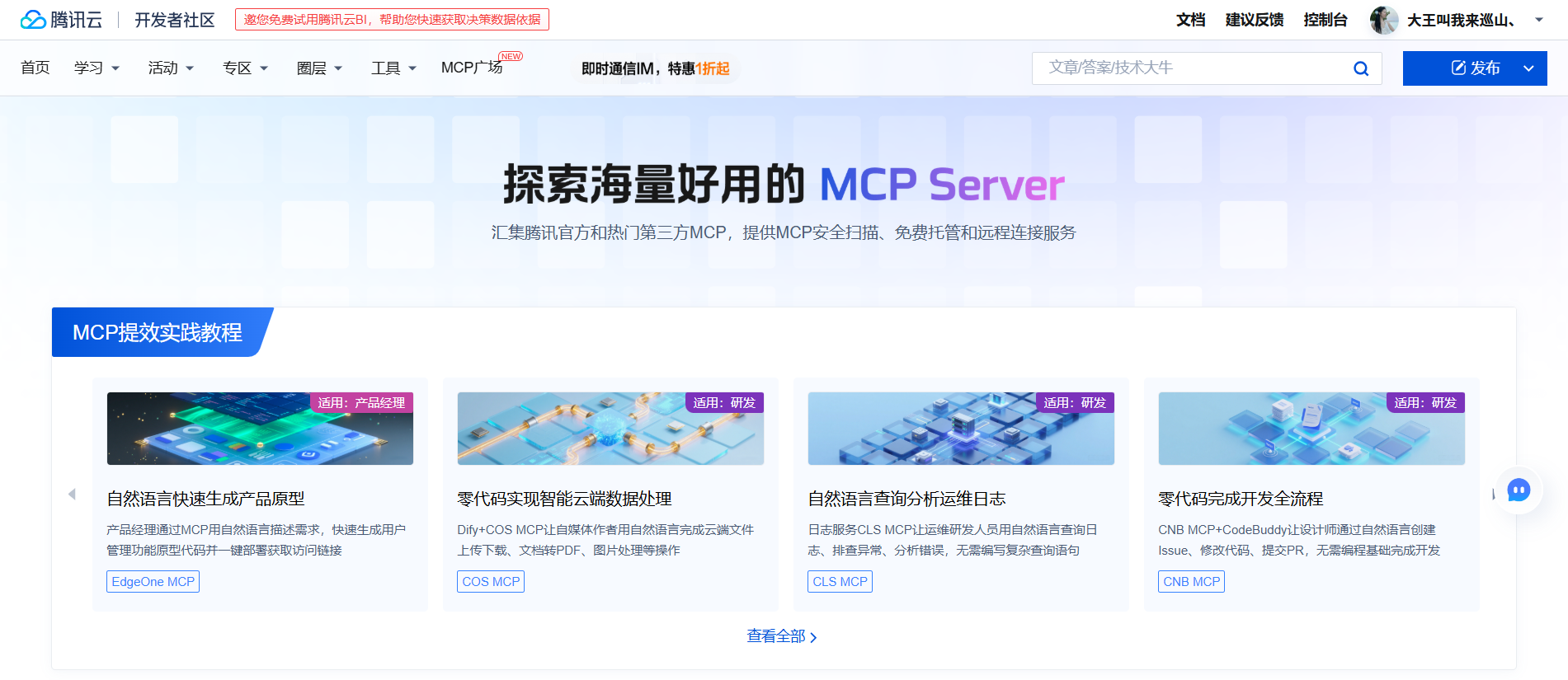
步骤二:创建MCP服务
- 在控制台点击"创建服务"
- 填写服务名称和描述
- 选择服务类型为"SSE连接服务"
- 配置基本参数
{
  "service_name": "my-sse-service",
  "service_type": "sse",
  "description": "SSE数据流服务示例",
  "config": {
    "max_connections": 100,
    "timeout": 300
  }
}
步骤三:配置SSE连接参数
在服务详情页,配置SSE连接的具体参数:
# SSE服务配置示例
server:
  port: 8080
  path: /sse/events
  cors:
    allowed_origins: ["*"]
    allowed_methods: ["GET", "OPTIONS"]

authentication:
  type: "api_key"
  key_header: "X-API-KEY"

events:
  - name: "data_update"
    interval: 1000
  - name: "system_alert"
    interval: 5000
步骤四:获取SSE连接URL
配置完成后,MCP广场将生成唯一的SSE连接URL:
https://mcp.tencent.com/sse/your-service-id/events?token=your-access-token请妥善保管此URL,它将用于客户端连接。
步骤五:客户端连接代码示例
以下是使用JavaScript连接SSE服务的完整示例:
class MCPSSEClient {
  constructor(url, options = {}) {
    this.url = url;
    this.options = options;
    this.eventSource = null;
    this.reconnectAttempts = 0;
    this.maxReconnectAttempts = options.maxReconnectAttempts || 5;
  }

  // 创建SSE连接
  connect() {
    try {
      this.eventSource = new EventSource(this.url);

      this.eventSource.onopen = (event) => {
        console.log('SSE连接已建立', event);
        this.reconnectAttempts = 0;
        this.onOpen && this.onOpen(event);
      };

      this.eventSource.onmessage = (event) => {
        try {
          const data = JSON.parse(event.data);
          this.onMessage && this.onMessage(data, event);
        } catch (error) {
          console.error('解析消息失败:', error);
        }
      };

      this.eventSource.addEventListener('data_update', (event) => {
        try {
          const data = JSON.parse(event.data);
          this.onDataUpdate && this.onDataUpdate(data, event);
        } catch (error) {
          console.error('解析data_update事件失败:', error);
        }
      });

      this.eventSource.addEventListener('system_alert', (event) => {
        try {
          const data = JSON.parse(event.data);
          this.onSystemAlert && this.onSystemAlert(data, event);
        } catch (error) {
          console.error('解析system_alert事件失败:', error);
        }
      });

      this.eventSource.onerror = (error) => {
        console.error('SSE连接错误:', error);
        this.onError && this.onError(error);

        // 尝试重连
        this.reconnect();
      };

    } catch (error) {
      console.error('创建SSE连接失败:', error);
      this.reconnect();
    }
  }

  // 重连机制
  reconnect() {
    if (this.reconnectAttempts >= this.maxReconnectAttempts) {
      console.error('达到最大重连次数,停止重连');
      this.onMaxReconnectAttempts && this.onMaxReconnectAttempts();
      return;
    }

    this.reconnectAttempts++;
    const delay = Math.min(1000 * Math.pow(2, this.reconnectAttempts), 30000);

    console.log(`${delay}ms后尝试第${this.reconnectAttempts}次重连...`);

    setTimeout(() => {
      this.disconnect();
      this.connect();
    }, delay);
  }

  // 断开连接
  disconnect() {
    if (this.eventSource) {
      this.eventSource.close();
      this.eventSource = null;
    }
  }

  // 添加事件监听器
  on(eventName, callback) {
    switch (eventName) {
      case 'open':
        this.onOpen = callback;
        break;
      case 'message':
        this.onMessage = callback;
        break;
      case 'data_update':
        this.onDataUpdate = callback;
        break;
      case 'system_alert':
        this.onSystemAlert = callback;
        break;
      case 'error':
        this.onError = callback;
        break;
      case 'max_reconnect_attempts':
        this.onMaxReconnectAttempts = callback;
        break;
    }
  }
}

// 使用示例
const sseClient = new MCPSSEClient('https://mcp.tencent.com/sse/your-service-id/events?token=your-access-token', {
  maxReconnectAttempts: 10
});

sseClient.on('open', (event) => {
  console.log('已连接到MCP SSE服务');
});

sseClient.on('data_update', (data, event) => {
  console.log('收到数据更新:', data);
  // 处理数据更新逻辑
});

sseClient.on('system_alert', (data, event) => {
  console.log('收到系统警报:', data);
  // 处理系统警报逻辑
});

sseClient.on('error', (error) => {
  console.error('连接错误:', error);
});

sseClient.on('max_reconnect_attempts', () => {
  console.error('已达到最大重连次数,请检查网络连接或服务状态');
});

// 建立连接
sseClient.connect();

// 在适当的时候断开连接
// sseClient.disconnect();
步骤六:Python客户端示例
如果您使用Python,以下是使用Python连接SSE服务的示例:
import json
import sseclient
import requests

class MCPSSEPythonClient:
    def __init__(self, url, headers=None):
        self.url = url
        self.headers = headers or {}
        self.client = None

    def connect(self):
        """建立SSE连接并开始监听事件"""
        try:
            response = requests.get(self.url, stream=True, headers=self.headers)
            self.client = sseclient.SSEClient(response)

            for event in self.client.events():
                self.handle_event(event)

        except Exception as e:
            print(f"连接错误: {e}")
            # 这里可以添加重连逻辑

    def handle_event(self, event):
        """处理不同类型的事件"""
        try:
            data = json.loads(event.data)

            if event.event == 'data_update':
                self.on_data_update(data, event)
            elif event.event == 'system_alert':
                self.on_system_alert(data, event)
            elif event.event is None:  # 默认消息事件
                self.on_message(data, event)
            else:
                print(f"未知事件类型: {event.event}")

        except json.JSONDecodeError:
            print(f"无法解析JSON数据: {event.data}")

    def on_message(self, data, event):
        """处理普通消息事件"""
        print(f"收到消息: {data}")

    def on_data_update(self, data, event):
        """处理数据更新事件"""
        print(f"数据已更新: {data}")

    def on_system_alert(self, data, event):
        """处理系统警报事件"""
        print(f"系统警报: {data}")

# 使用示例
if __name__ == "__main__":
    url = "https://mcp.tencent.com/sse/your-service-id/events?token=your-access-token"
    headers = {
        "Accept": "text/event-stream",
        "Cache-Control": "no-cache"
    }

    client = MCPSSEPythonClient(url, headers)

    try:
        print("开始连接MCP SSE服务...")
        client.connect()
    except KeyboardInterrupt:
        print("连接已手动中断")
步骤七:安全配置最佳实践
为了确保SSE连接的安全性,建议配置以下安全措施:
- 使用HTTPS:确保所有连接都通过加密的HTTPS进行
- 认证令牌:使用MCP广场提供的访问令牌进行身份验证
- 限制来源:配置CORS策略,只允许信任的域名访问
- 速率限制:实施适当的速率限制防止滥用
# 安全配置示例
security:
  ssl:
    enabled: true
    certificate: "/path/to/certificate.pem"
    key: "/path/to/private-key.pem"

  authentication:
    required: true
    method: "token"
    token_header: "Authorization"

  cors:
    allowed_origins:
      - "https://yourdomain.com"
      - "https://yourapp.tencent.com"
    allowed_methods:
      - "GET"
      - "OPTIONS"

  rate_limiting:
    enabled: true
    requests_per_minute: 100
    burst_limit: 20
故障排除与常见问题
常见连接问题
- 连接失败
- 检查URL是否正确
- 验证访问令牌是否有效
- 确认网络连接正常
- 认证错误
- 检查令牌是否过期
- 验证请求头是否正确设置
- 数据解析错误
- 确认数据格式符合JSON规范
- 检查事件名称是否正确
调试技巧
// 启用详细日志记录
const sseClient = new MCPSSEClient(url, {
  debug: true, // 启用调试模式
  logger: console.debug // 自定义日志记录器
});

// 或者在Python中
import logging
logging.basicConfig(level=logging.DEBUG)
总结
腾讯云MCP技术通过标准化协议为AI应用提供了强大的外部连接能力,而MCP广场则让这一技术的使用变得简单高效。本文详细介绍了MCP的核心概念、功能模块,并通过完整的示例展示了如何配置和使用SSE URL连接服务。
通过遵循本文的步骤和最佳实践,您可以快速构建基于MCP的实时数据流应用,充分利用腾讯云MCP技术的优势,为您的AI应用增添实时数据处理能力。
无论您是初学者还是经验丰富的开发者,腾讯云MCP广场都提供了适合您需求的工具和服务,帮助您更高效地开发和部署AI应用。
扩展资源
希望本文对您理解和使用腾讯云MCP技术有所帮助!如有任何问题,欢迎在评论区留言提问!
原创声明:本文系作者授权腾讯云开发者社区发表,未经许可,不得转载。
如有侵权,请联系 cloudcommunity@tencent.com 删除。
原创声明:本文系作者授权腾讯云开发者社区发表,未经许可,不得转载。
如有侵权,请联系 cloudcommunity@tencent.com 删除。
评论
登录后参与评论
推荐阅读
目录
腾讯云开发者

Copyright © 2013 - 2026 Tencent Cloud. All Rights Reserved. 腾讯云 版权所有
深圳市腾讯计算机系统有限公司 ICP备案/许可证号:粤B2-20090059  粤公网安备44030502008569号
腾讯云计算(北京)有限责任公司 京ICP证150476号 | 京ICP备11018762号