OFD文档在线预览选型:想躺平选云预览,想受苦选纯前端(二)
原创
OFD文档在线预览选型:想躺平选云预览,想受苦选纯前端(二)
原创
用户12805970
发布于 2026-11-03 10:45:06
发布于 2026-11-03 10:45:06
兄弟们,文档预览这个大坑,我还在持续趟。针对电子发票、电子公文常用的 OFD(国产开放版式文档)格式,持续写了一份完整的 Vue 3 单文件组件(SFC)代码,采用经典的双 Tab 切换面板,完美整合了 OfficeWeb365 云渲染(方案一) 与 ofd.js 纯前端本地解压渲染(方案二)。
代码中包含了本地文件读取(ArrayBuffer)、印章展示与签名校验的回调数据处理、以及样式穿透和统一的 UI 容器,方便你随时对比和集成:
一、前置依赖安装
在您的 Vue 3 项目中,确保已经安装了 ofd.js(以及推荐用于 UI 布局的 lucide-vue-next 图标库,若不用图标可自行删减):
pnpm add ofd.js lucide-vue-next二、完整页面组件代码 (OfdPreviewTabs.vue)
<template>
  <div class="ofd-preview-wrapper">
    <div class="header-zone">
      <h2>OFD 电子公文/发票预览中心</h2>
      <p class="subtitle">支持电子印章展示、国密签名校验及双渲染引擎对比</p>
    </div>

    <!-- 1. 功能操作与 Tab 切换栏 -->
    <div class="control-bar">
      <div class="tabs">
        <button
          :class="['tab-btn', { active: activeTab === 'cloud' }]"
          @click="activeTab = 'cloud'"
        >
           方案一:OfficeWeb365 云渲染
        </button>
        <button
          :class="['tab-btn', { active: activeTab === 'local' }]"
          @click="activeTab = 'local'"
        >
           方案二:ofd.js 纯前端解压
        </button>
      </div>

      <div class="file-uploader">
        <label for="ofd-file-input" class="upload-label">
           选择本地 OFD 文件测试
        </label>
        <input
          id="ofd-file-input"
          type="file"
          accept=".ofd"
          @change="handleFileChange"
        />
        <span v-if="fileName" class="file-name">当前文件: {{ fileName }}</span>
      </div>
    </div>

    <!-- 2. 核心预览内容区 -->
    <div class="preview-content-box">

      <!-- 方案一:OfficeWeb365 云预览 (Iframe 模式) -->
      <div v-if="activeTab === 'cloud'" class="pane-container">
        <div class="notice-bar info">
          <strong>云端模式特性:</strong> 适合大文件、跨平台秒开。需要文件的公网 URL,此处演示拼接效果。
        </div>
        <iframe
          v-if="cloudPreviewUrl"
          :src="cloudPreviewUrl"
          class="cloud-iframe"
          frameborder="0"
        ></iframe>
        <div v-else class="empty-state">
          请在代码中配置您的公网 OFD 地址,或上传文件查看云端预览拼接 URL
        </div>
      </div>

      <!-- 方案二:ofd.js 纯前端本地解压渲染 -->
      <div v-if="activeTab === 'local'" class="pane-container">
        <div class="notice-bar success">
          <strong>纯前端解压特性:</strong> 数据不出内网,100% 纯 JS 解压 XML 并使用 Canvas/SVG 绘制,支持印章校验。
        </div>

        <!-- 签名与印章校验状态面板 -->
        <div v-if="signStatusList.length > 0" class="signature-panel">
          <h4> 电子印章与国密签名校验结果 ({{ signStatusList.length }} 个)</h4>
          <ul>
            <li v-for="(sign, index) in signStatusList" :key="index" :class="sign.verify ? 'valid' : 'invalid'">
              <span class="status-icon">{{ sign.verify ? '✅' : '❌' }}</span>
              <div class="sign-info">
                <p><strong>签章单位/人:</strong>{{ sign.signedValue || '未知签名体' }}</p>
                <p class="crypto-detail">算法体系:国密 SM2/SM3 | 验证状态:{{ sign.verify ? '签名有效,防篡改验证通过' : '签名无效或证书链不完整' }}</p>
              </div>
            </li>
          </ul>
        </div>

        <!-- 渲染承载 DOM -->
        <div class="ofd-render-viewport">
          <div id="ofd-local-canvas-container" ref="localContainerRef"></div>

          <div v-if="loading" class="loading-spinner">
            <div class="spinner"></div>
            <p>正在本地解压并使用 Canvas 绘制印章,请稍候...</p>
          </div>

          <div v-if="!loading && !hasRendered" class="empty-state">
            暂无渲染数据,请在上方选择本地 .ofd 文件进行解压渲染
          </div>
        </div>
      </div>

    </div>
  </div>
</template>

<script setup>
import { ref, watch, onBeforeUnmount } from 'vue';
// 引入 ofd.js 核心方法
import { parseOfdDocument, renderOfd } from 'ofd.js';

// 响应式状态管理
const activeTab = ref('cloud'); // 默认选中云预览
const fileName = ref('');
const loading = ref(false);
const hasRendered = ref(false);
const localContainerRef = ref(null);
const signStatusList = ref([]); // 存储签名校验结果

// 模拟或实际的 OFD 公网文件 URL (OfficeWeb365 需要)
const currentOfdUrl = ref('https://example.com');
const cloudPreviewUrl = ref('');

// 监听 URL 变化,自动拼接 OfficeWeb365 的预览地址
watch(currentOfdUrl, (newUrl) => {
  if (newUrl) {
    //  替换为您的 OfficeWeb365 正式域名或中转接口
    const ow365Base = 'https://officeweb365.com';
    cloudPreviewUrl.value = `${ow365Base}${encodeURIComponent(newUrl)}`;
  }
}, { immediate: true });

/**
 * 处理用户上传/选择本地 OFD 文件
 */
const handleFileChange = (event) => {
  const file = event.target.files[0];
  if (!file) return;

  fileName.value = file.name;
  signStatusList.value = []; // 清空上一次的签名信息
  hasRendered.value = false;

  // 如果当前在云预览 Tab,提示用户切换或者在后台模拟 URL
  if (activeTab.value === 'cloud') {
    alert('本地文件无法直接传给云预览服务,已自动为您切换至【方案二:纯前端解压】进行本地渲染!');
    activeTab.value = 'local';
  }

  // 触发纯前端解压渲染流程
  executeLocalOfdRender(file);
};

/**
 * 方案二核心:纯前端本地解压、解析 XML、校验印章并渲染
 */
const executeLocalOfdRender = (fileObj) => {
  loading.value = true;

  // 确保容器清空
  if (localContainerRef.value) {
    localContainerRef.value.innerHTML = '';
  }

  // ofd.js 的 parseOfdDocument 支持直接传入 File 对象、ArrayBuffer 或 URL
  parseOfdDocument({
    file: fileObj,
    //  开启国密签名校验(注意:大文件开启此项会增加解压与 CPU 计算时间)
    xmlSignature: true,
    success: (ofdDocRes) => {
      loading.value = false;
      hasRendered.value = true;

      //  提取并解析国密电子印章/数字签名状态
      if (ofdDocRes.signatures && ofdDocRes.signatures.length > 0) {
        // 映射签名状态至界面
        signStatusList.value = ofdDocRes.signatures.map(item => ({
          signedValue: item.signedValue || '电子发票/公文专用章',
          verify: item.verify // true 为有效,false 为无效
        }));
      } else {
        signStatusList.value = [{ signedValue: '未检测到结构化电子印章', verify: false }];
      }

      //  执行 Canvas/SVG 页面样式绘制
      // 内部会自动处理层级,将解压出来的 Seal(印章)图层覆盖在 Text(文字)图层之上
      renderOfd(localContainerRef.value, ofdDocRes);
    },
    fail: (error) => {
      loading.value = false;
      hasRendered.value = false;
      console.error('ofd.js 本地解析失败:', error);
      alert('OFD 本地解压失败,请检查文件是否损坏,或查看控制台错误日志。');
    }
  });
};

// 页面销毁前清理内存,防止 Canvas 堆积引起内存泄漏
onBeforeUnmount(() => {
  if (localContainerRef.value) {
    localContainerRef.value.innerHTML = '';
  }
});
</script>

<style scoped>
/* 基础布局 */
.ofd-preview-wrapper {
  max-width: 1200px;
  margin: 20px auto;
  padding: 20px;
  font-family: -apple-system, BlinkMacSystemFont, "Segoe UI", Roboto, Helvetica, Arial, sans-serif;
  background: #ffffff;
  border-radius: 12px;
  box-shadow: 0 8px 24px rgba(0, 0, 0, 0.05);
}

.header-zone {
  margin-bottom: 25px;
  border-bottom: 2px solid #f0f0f0;
  padding-bottom: 15px;
}
.header-zone h2 { margin: 0 0 8px 0; color: #1a1a1a; }
.subtitle { margin: 0; color: #666; font-size: 14px; }

/* 控制栏与 Tab 切换 */
.control-bar {
  display: flex;
  justify-content: space-between;
  align-items: center;
  flex-wrap: wrap;
  gap: 15px;
  margin-bottom: 20px;
}

.tabs {
  display: flex;
  background: #f4f4f5;
  padding: 4px;
  border-radius: 8px;
}
.tab-btn {
  border: none;
  background: transparent;
  padding: 10px 20px;
  font-size: 14px;
  font-weight: 500;
  color: #52525b;
  cursor: pointer;
  border-radius: 6px;
  transition: all 0.2s;
}
.tab-btn.active {
  background: #ffffff;
  color: #18181b;
  box-shadow: 0 2px 8px rgba(0, 0, 0, 0.08);
}

/* 文件上传样式 */
.file-uploader {
  display: flex;
  align-items: center;
  gap: 10px;
}
.upload-label {
  background: #2563eb;
  color: white;
  padding: 8px 16px;
  border-radius: 6px;
  font-size: 14px;
  cursor: pointer;
  transition: background 0.2s;
}
.upload-label:hover { background: #1d4ed8; }
.file-uploader input[type="file"] { display: none; }
.file-name { font-size: 13px; color: #666; max-width: 200px; overflow: hidden; text-overflow: ellipsis; white-space: nowrap; }

/* 提示条 */
.notice-bar {
  padding: 12px 16px;
  border-radius: 6px;
  font-size: 13px;
  margin-bottom: 15px;
  line-height: 1.5;
}
.notice-bar.info { background: #eff6ff; color: #1e40af; border-left: 4px solid #3b82f6; }
.notice-bar.success { background: #f0fdf4; color: #166534; border-left: 4px solid #22c55e; }

/* 视窗容器 */
.preview-content-box {
  background: #f8fafc;
  border: 1px solid #e2e8f0;
  border-radius: 8px;
  min-height: 600px;
  padding: 15px;
}
.pane-container {
  display: flex;
  flex-direction: column;
  height: 100%;
}

/* 方案一:Iframe 样式 */
.cloud-iframe {
  width: 100%;
  height: 650px;
  border-radius: 6px;
  border: 1px solid #cbd5e1;
  background: #ffffff;
}

/* 方案二:本地渲染与签名面板 */
.signature-panel {
  background: #ffffff;
  border: 1px solid #e2e8f0;
  border-radius: 6px;
  padding: 15px;
  margin-bottom: 15px;
}
.signature-panel h4 { margin: 0 0 10px 0; color: #334155; font-size: 14px; }
.signature-panel ul { list-style: none; padding: 0; margin: 0; }
.signature-panel li {
  display: flex;
  align-items: flex-start;
  gap: 12px;
  padding: 10px;
  border-radius: 6px;
  margin-bottom: 8px;
}
.signature-panel li.valid { background: #f0fdf4; border: 1px solid #bbf7d0; }
.signature-panel li.invalid { background: #fff1f2; border: 1px solid #fecdd3; }
.status-icon { font-size: 18px; margin-top: 2px; }
.sign-info p { margin: 0; font-size: 13px; color: #1e293b; }
.sign-info .crypto-detail { font-size: 12px; color: #64748b; margin-top: 4px; }

/* ofd.js 渲染视窗布局 */
.ofd-render-viewport {
  position: relative;
  background: #cbd5e1;
  border-radius: 6px;
  min-height: 500px;
  max-height: 700px;
  overflow-y: auto;
  padding: 20px;
  display: flex;
  justify-content: center;
}

#ofd-local-canvas-container {
  width: 100%;
  display: flex;
  flex-direction: column;
  align-items: center;
}

/*  核心:使用 Vue3 样式穿透修改 ofd.js 动态生成的 DOM 节点,使电子印章居中并带有发票纸张阴影 */
:deep(#ofd-local-canvas-container > div) {
  margin-bottom: 25px !important;
  background: #ffffff !important;
  box-shadow: 0 10px 25px rgba(0, 0, 0, 0.15) !important;
  border-radius: 4px;
  transition: transform 0.2s;
}
:deep(#ofd-local-canvas-container > div:hover) {
  transform: scale(1.01);
}

/* 空状态与加载动画 */
.empty-state {
  display: flex;
  justify-content: center;
  align-items: center;
  height: 400px;
  color: #94a3b8;
  font-size: 14px;
}
.loading-spinner {
  position: absolute;
  top: 50%; left: 50%;
  transform: translate(-50%, -50%);
  text-align: center;
  color: #475569;
}
.spinner {
  width: 40px; height: 40px;
  border: 4px solid #cbd5e1;
  border-top-color: #2563eb;
  border-radius: 50%;
  animation: spin 1s infinite linear;
  margin: 0 auto 10px;
}
@keyframes spin {
三、代码深度解析与避坑指南
- xmlSignature: true 参数的妙用:在代码第 103 行,我们在 parseOfdDocument传入了该参数。ofd.js会在前端本地解包进入 META-INF/signatures.xml,读取国密 SM2 签名和证书,并对发票或公文的完整性做 Hashing 校验。校验结果会记录在返回对象的 signatures数组里,供前端渲染状态面板。
- 本地解压性能优化:方案二完全是在浏览器的主线程中利用 JavaScript 进行解压(Unzip)和 XML 节点转 Canvas。如果碰到十几 MB 以上的多页政务大文件,容易造成 Vue 页面短暂掉帧。这就是为什么在组件里加了 loading状态,用于改善交互体验。
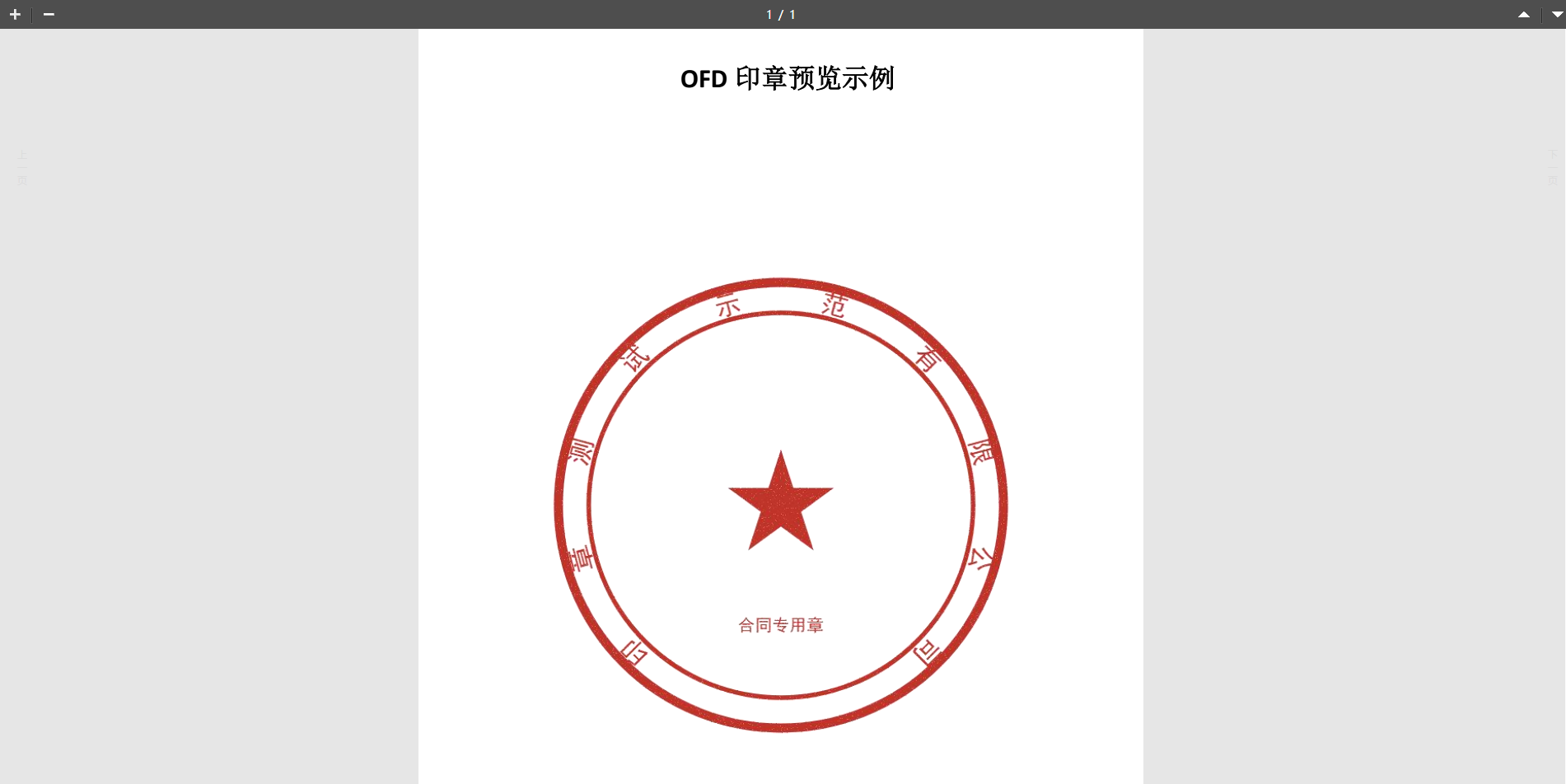
- 印章与文字层级(Z-Index):国标 OFD 定义中,印章(Seal)和签名有明确的层级规范。ofd.js的 renderOfd方法内部已经将 Canvas 转换为了对应的绝对定位元素,上文代码中通过 :deep()增加了白底发票阴影效果(box-shadow),可以让预览体验极其接近数科或 WPS 客户端。
原创声明:本文系作者授权腾讯云开发者社区发表,未经许可,不得转载。
如有侵权,请联系 cloudcommunity@tencent.com 删除。
目录
腾讯云开发者

Copyright © 2013 - 2026 Tencent Cloud. All Rights Reserved. 腾讯云 版权所有
深圳市腾讯计算机系统有限公司 ICP备案/许可证号:粤B2-20090059  粤公网安备44030502008569号
腾讯云计算(北京)有限责任公司 京ICP证150476号 | 京ICP备11018762号