该示例对 GraphQL 查询的请求体(
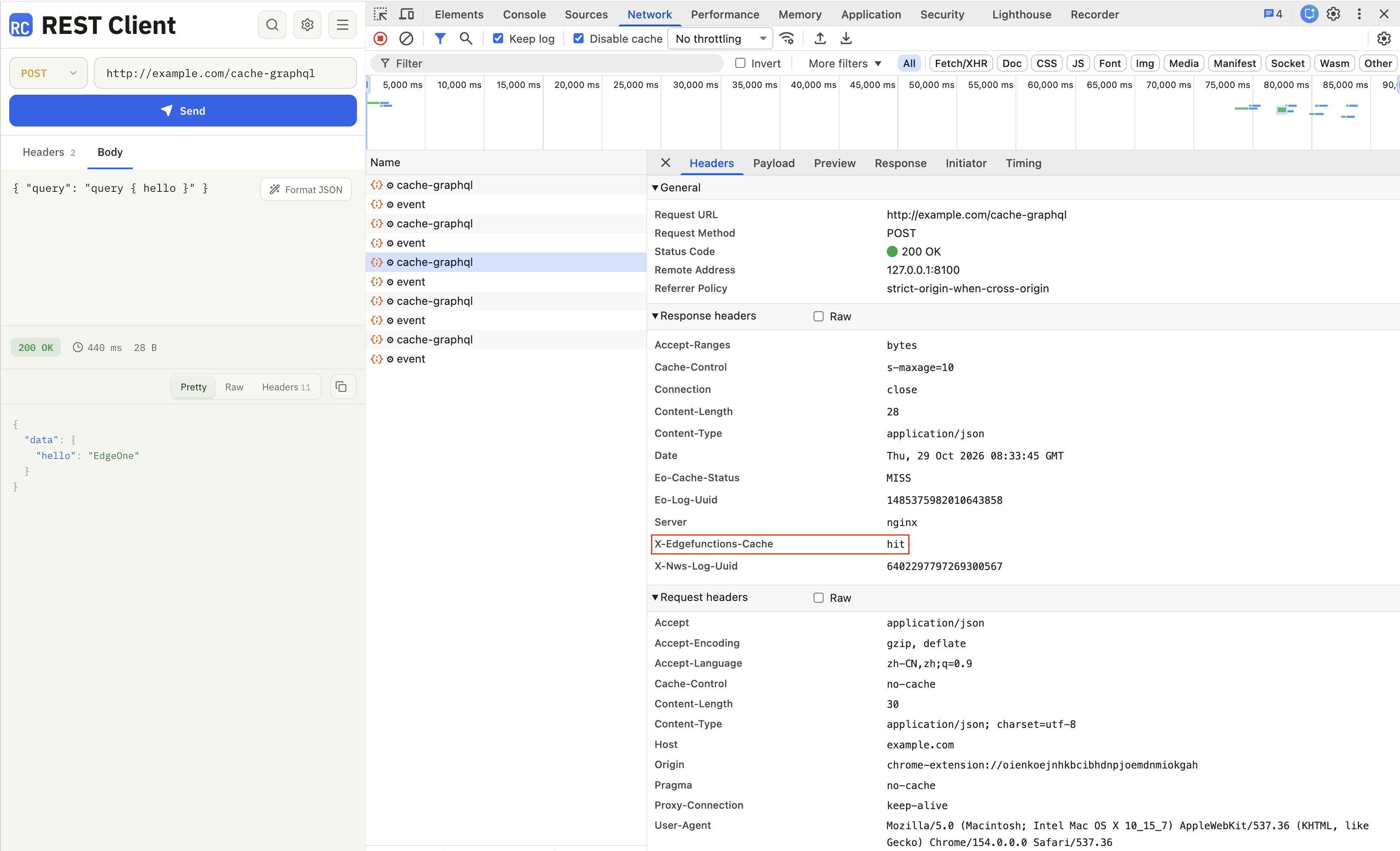
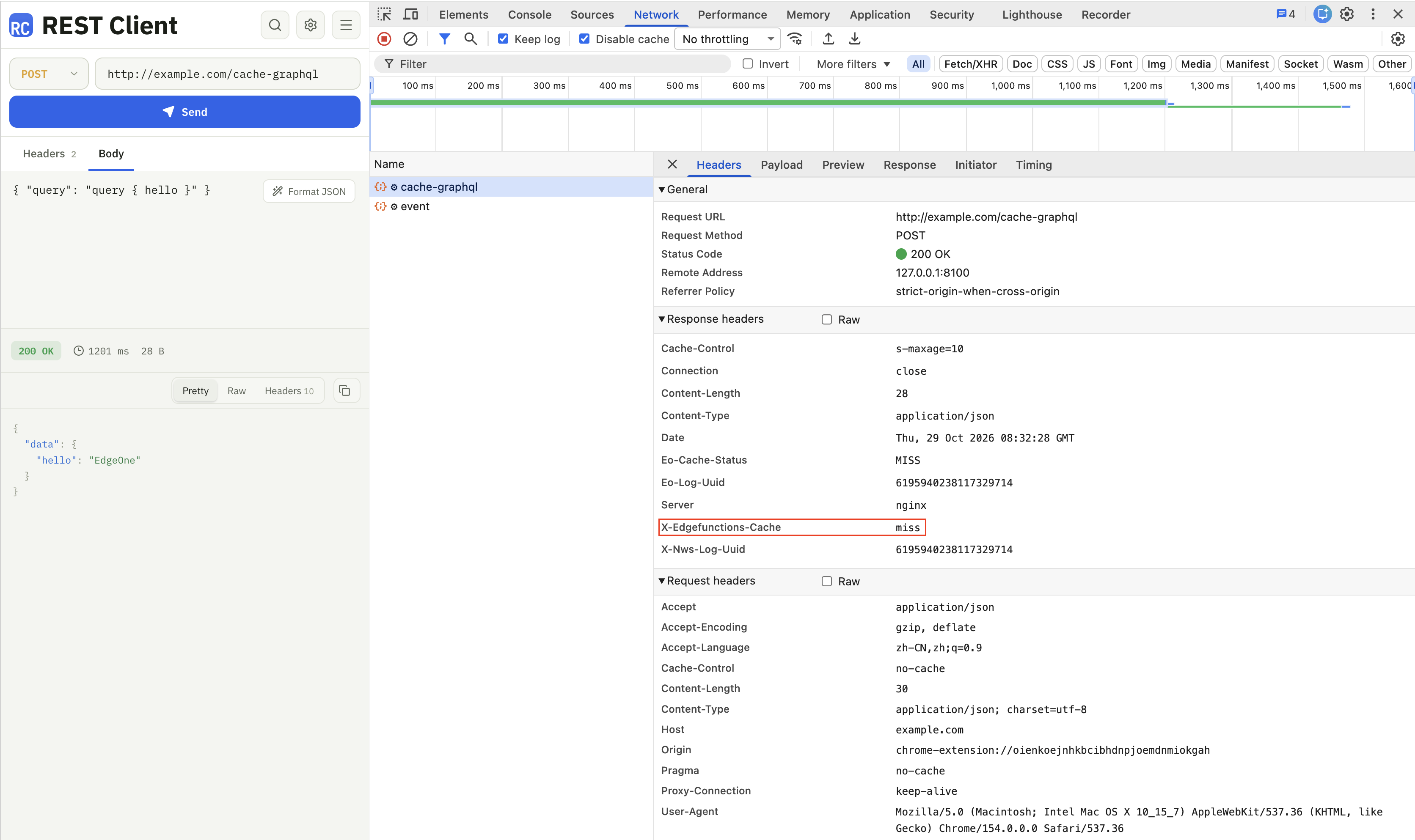
query、variables、operationName)计算 SHA-256 摘要,作为缓存键的一部分,并使用 Cache API 将响应内容写入边缘函数独立缓存:命中缓存时直接返回缓存内容,未命中时使用 Fetch API 发起子请求获取数据并写入缓存;mutation、subscription 等会修改数据的请求不缓存。可通过响应头 x-edgefunctions-cache 判断是否命中缓存。说明:
读、写、删需使用同一个指定了
eo.cacheKey 的 Request 对象;未携带 eo.cacheKey 时,写入会被拒绝并抛出 forbidden cdn cache 错误,详见 Cache API。GraphQL 请求通常共用一个请求端点(URL 相同),仅以 URL 作为缓存键会导致不同查询相互覆盖,因此缓存键需包含查询语句与变量;且缓存键 request 只支持 GET 方法,无法直接使用 POST 的
event.request,本示例将 URL、operationName、variables、query 摘要后一并写入 eo.cacheKey。仅缓存查询(query):
mutation、subscription 会修改数据、不能缓存(示例按操作类型做简化判断,生产环境建议使用 GraphQL 解析库或查询白名单);携带 Authorization、Cookie 等身份信息的请求默认跳过缓存,避免不同用户命中同一份缓存。示例代码
// 缓存时长(秒),可按业务调整const CACHE_TTL = 10;// 携带用户身份信息的请求默认跳过缓存,避免不同用户命中同一份缓存const SKIP_PRIVATE_REQUESTS = true;function uint8ArrayToHex(arr) {return Array.prototype.map.call(arr, (x) => (('0' + x.toString(16)).slice(-2))).join('');}// sha256 签名摘要async function sha256(message) {const msgBuffer = new TextEncoder().encode(message);const hashBuffer = await crypto.subtle.digest('SHA-256', msgBuffer);return uint8ArrayToHex(new Uint8Array(hashBuffer));}// 解析 GraphQL 请求:非 POST、携带身份信息、非查询(mutation/subscription)等场景返回 nullasync function parseGraphQLRequest(request) {if (request.method.toUpperCase() !== 'POST') {return null;}if (SKIP_PRIVATE_REQUESTS && (request.headers.has('Authorization') || request.headers.has('Cookie'))) {return null;}let payload;try {// 读取 body 用于构造缓存键,后续 fetch 使用的是未被消费的原始请求payload = await request.clone().json();} catch (e) {return null;}if (!payload || typeof payload.query !== 'string') {return null;}// 去掉注释与空白后判断操作类型,mutation、subscription 不缓存// 此处为简化判断,字段名或字符串中包含关键字等场景建议使用 GraphQL 解析库const operation = payload.query.replace(/#[^\\n]*/g, ' ').trim();if (/^(mutation|subscription)\\b/i.test(operation)) {return null;}return payload;}async function fetchGraphQL(event, request, cacheKey) {const cache = caches.default;// 缓存没有命中,回源获取数据const response = await fetch(request);if (response.ok) {// 设置缓存时长,确保回源响应可以写入缓存response.headers.set('Cache-Control', `s-maxage=${CACHE_TTL}`);event.waitUntil(cache.put(cacheKey, response.clone()));}// 未命中缓存,设置响应头标识response.headers.append('x-edgefunctions-cache', 'miss');return response;}async function handleRequest(event) {const request = event.request;const cache = caches.default;const payload = await parseGraphQLRequest(request);// 非查询请求直接回源,不做缓存if (!payload) {return fetch(request);}// 缓存键需唯一标识一次查询:URL + operationName + variables + queryconst normalized = `${request.url}#${payload.operationName || ''}#${JSON.stringify(payload.variables || {})}#${payload.query}`;const hash = await sha256(normalized);// 使用查询摘要构造缓存键,并通过 eo.cacheKey 指定读写边缘函数独立缓存;// 读、写、删需使用同一个 Request 对象const cacheKey = new Request(request.url, {eo: { cacheKey: hash },});try {// 获取关联的缓存 Responseconst response = await cache.match(cacheKey);if (!response) {return fetchGraphQL(event, request, cacheKey);}// 命中缓存,设置响应头标识response.headers.append('x-edgefunctions-cache', 'hit');return response;} catch (error) {// 缓存过期(504)等异常:删除旧缓存后重新回源并写入try {await cache.delete(cacheKey);} catch (e) {}return fetchGraphQL(event, request, cacheKey);}}addEventListener('fetch', (event) => {event.respondWith(handleRequest(event));});
示例预览
未命中缓存
命中缓存