腾讯云知识引擎原子能力 DeepSeek Anthropic 接口兼容了 Anthropic 的接口规范,您仅需要将 base_url 和 api_key 替换成相关配置,不需要对应用做额外修改,即可无缝将您的应用接入到 Anthropic API 生态中。
base_url:
https://api.lkeap.cloud.tencent.com/api/anthropic。api_key:与 DeepSeek 、混元大模型的 API key 均不共用,需在控制台 API key 页面进行创建。
接口请求地址完整路径:
https://api.lkeap.cloud.tencent.com/api/anthropic/v1/messages。说明:
默认单账号下的模型限制为:
QPM (Queries Per Minute): 60
TPM (Tokens Per Minute): 1,000,000
已支持的模型
GLM 系列模型
模型 | model 参数值 | 最大上下文长度 | 最大输出长度 |
GLM-5 | glm-5 | 200k | 128k |
MiniMax 系列模型
模型 | model 参数值 | 最大上下文长度 | 最大输出长度 |
MiniMax M2.5 | minimax-m2.5 | 200k | 192k |
Kimi 系列模型
模型 | model 参数值 | 最大上下文长度 | 最大输出长度 |
Kimi K2.5 | kimi-k2.5 | 256k | 256k |
快速开始
API 使用前提:已在腾讯云控制台 API key 管理 开通腾讯云大模型 API 能力并创建 API key。
如果您首次使用知识引擎原子能力,请参考 API key 管理 进行知识引擎原子能力的开通,并将示例代码中的 model 参数修改为上表中您需要调用的模型名称。
将模型接入 Claude Code
安装 Claude Code
安装或更新 Anthropic Claude Code,运行以下命令:
npm install-g@anthropic-ai/claude-code
配置环境变量
export ANTHROPIC_BASE_URL=https://api.lkeap.cloud.tencent.com/api/anthropicexport ANTHROPIC_AUTH_TOKEN=${API_KEY}export API_TIMEOUT_MS=600000export ANTHROPIC_MODEL=${MODEL_NAME}export CLAUDE_CODE_DISABLE_NONESSENTIAL_TRAFFIC=1
注意:
设置
API_TIMEOUT_MS 是为了防止输出过长,触发 Claude Code 客户端超时,这里设置的超时时间为 10 分钟,使用者可自行设置。执行 claude 命令
进入项目目录,执行 claude 命令,即可开始使用。
cd my-projectclaude
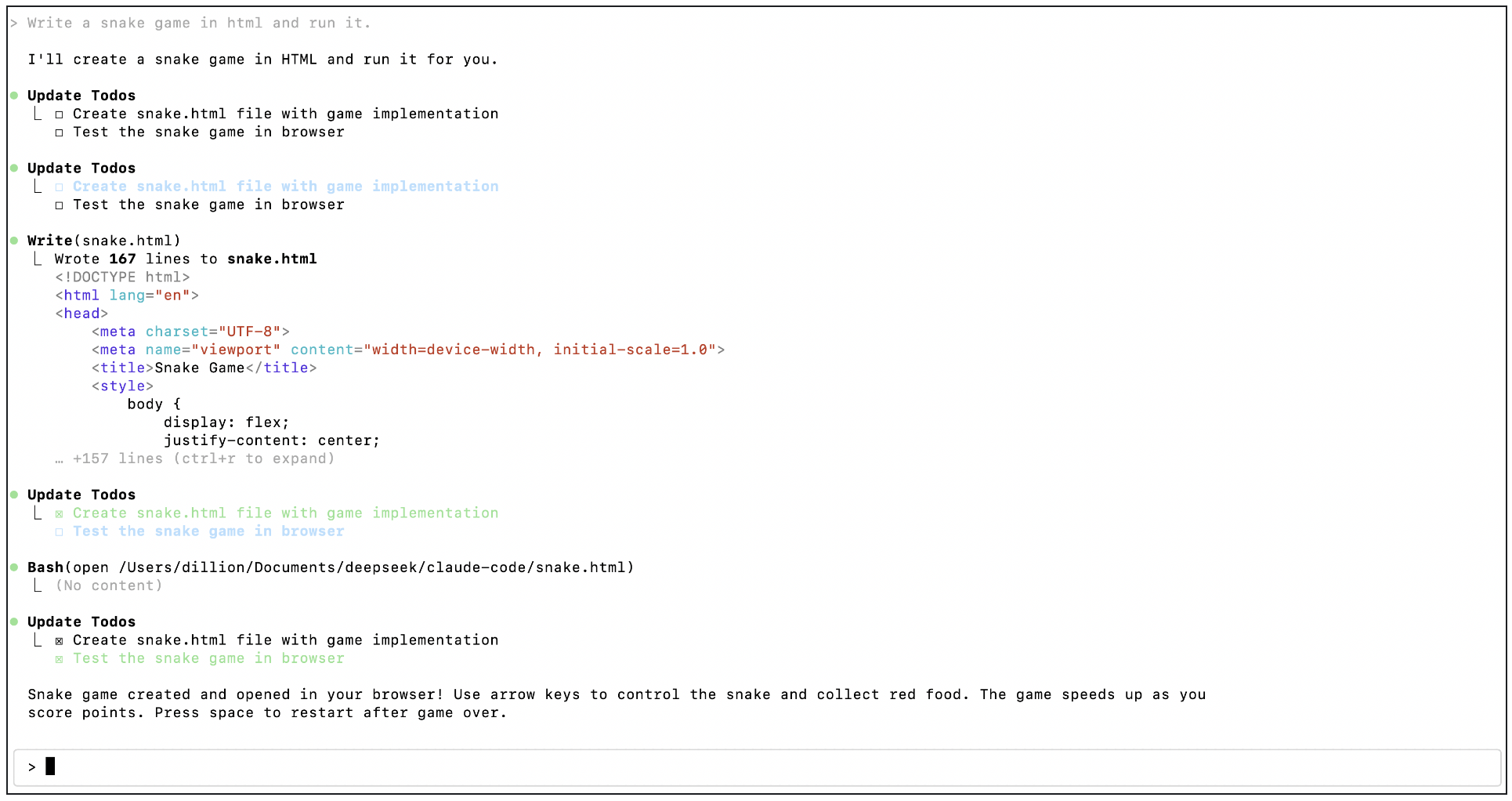
通过 Anthropic API 调用模型
安装 SDK
安装或更新 Anthropic Python SDK,运行以下命令:
pip install anthropic
示例代码片段
import anthropicclient = anthropic.Anthropic(api_key=os.getenv("API_KEY"),base_url="https://api.lkeap.cloud.tencent.com/api/anthropic",)message = client.messages.create(model="glm-5",max_tokens=1000,system="You are a helpful assistant.",messages=[{"role": "user","content": [{"type": "text","text": "Hi, how are you?"}]}])print(message.content)
curl https://api.lkeap.cloud.tencent.com/anthropic/v1/messages \\-H "Content-Type: application/json" \\-H "x-api-key: sk-xxxxxxx" \\-d '{"model": "deepseek-v3.1-terminus","max_tokens": 1000,"stream": true,"system": [{"type": "text","text": "You are a helpful assistant."}],"messages": [{"role": "user","content": [{"type": "text","text": "Hi, how are you?"}]}]}'
Anthropic API 兼容性详情
HTTP Headers
字段 | 支持状态 | 说明 |
anthropic-beta | 忽略 | 不处理此头部 |
anthropic-version | 忽略 | 不处理此头部 |
x-api-key | 完全支持 | 用于身份验证 |
基础字段
字段 | 支持状态 | 说明 |
model | 支持 | 使用 DeepSeek 模型替代 |
max_tokens | 完全支持 | 最大输出令牌数 |
container | 忽略 | 不处理此字段 |
mcp_servers | 忽略 | 不处理此字段 |
metadata | 忽略 | 不处理此字段 |
service_tier | 忽略 | 不处理此字段 |
stop_sequences | 完全支持 | 停止序列 |
stream | 完全支持 | 流式响应 |
system | 完全支持 | 系统消息 |
temperature | 完全支持 | 温度参数 (0.0-2.0) |
thinking | 忽略 | 不处理此字段 |
top_k | 忽略 | 不处理此字段 |
top_p | 完全支持 | Top-p 采样 |
工具支持
tools
字段 | 支持状态 | 说明 |
name | 完全支持 | 工具名称 |
input_schema | 完全支持 | 输入参数模式 |
description | 完全支持 | 工具描述 |
cache_control | 忽略 | 不处理此字段 |
tool_choice | 字符串格式 | 完全支持 |
tool_choice | 对象格式 | 完全支持 |
tool_choice.disable_parallel_tool_use | 忽略 | 不处理此字段 |
tool_choice
字段 | 支持状态 |
none | 完全支持 |
auto | 完全支持 |
any | 完全支持 |
tool | 完全支持 |
disable_parallel_tool_use | 忽略 |
消息字段支持
字段类型 | 变体 | 子字段 | 支持状态 |
content | string | - | 完全支持 |
content | array, type="text" | text | 完全支持 |
content | array, type="text" | cache_control | 忽略 |
content | array, type="text" | citations | 忽略 |
content | array, type="image" | - | 不支持 |
content | array, type="document" | - | 不支持 |
content | array, type="search_result" | - | 不支持 |
content | array, type="thinking" | - | 忽略 |
content | array, type="redacted_thinking" | - | 不支持 |
content | array, type="tool_use" | id | 完全支持 |
content | array, type="tool_use" | input | 完全支持 |
content | array, type="tool_use" | name | 完全支持 |
content | array, type="tool_use" | cache_control | 忽略 |
content | array, type="tool_result" | tool_use_id | 完全支持 |
content | array, type="tool_result" | content | 完全支持 |
content | array, type="tool_result" | cache_control | 忽略 |
content | array, type="tool_result" | is_error | 忽略 |
注意:
1. 忽略的字段:某些 Anthropic 特有的字段会被忽略,但不会报错。
2. 工具并行调用:
disable_parallel_tool_use 参数被忽略。3. 缓存控制:所有
cache_control 相关字段都被忽略。


