基于JQuery实现的图片拖拽缩放特效

基于JQuery实现的图片拖拽缩放特效

越陌度阡
发布于 2020-11-26 16:05:06
发布于 2020-11-26 16:05:06
给大家分享一个基于JQuery实现的图片拖拽缩放特效,效果如下:
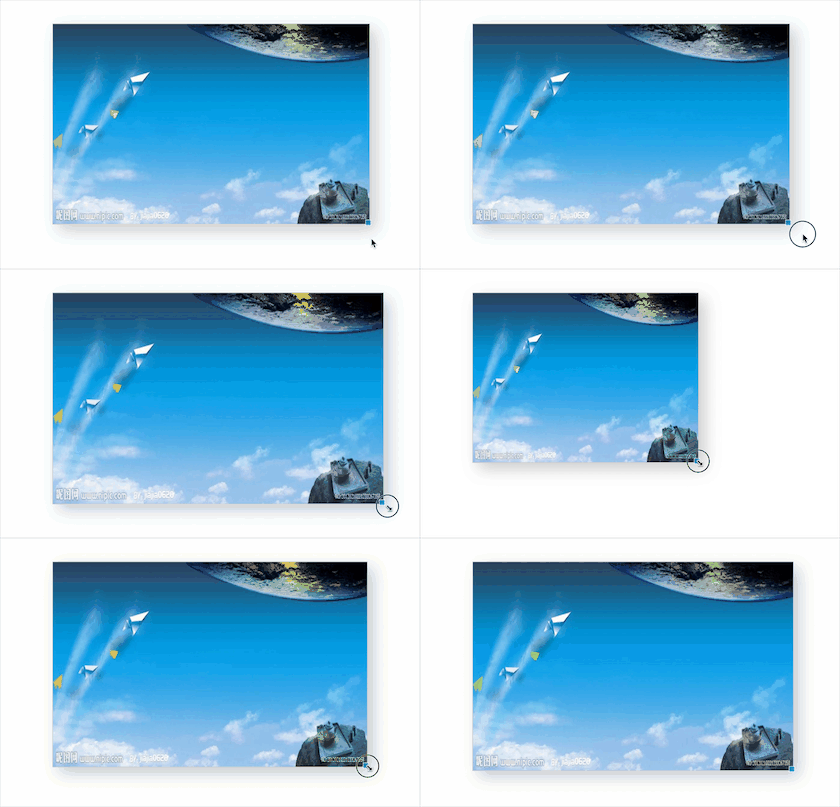
实现代码如下,欢迎大家复制粘贴。
<!DOCTYPE html>
<html>

<head>
    <meta http-equiv="Content-Type" content="text/html; charset=UTF-8">
    <title>基于JQuery实现的图片拖拽缩放特效</title>
    <style type="text/css">
        #box {
            width: 200px;
            height: 100px;
            cursor: move;
            position: absolute;
            top: 30px;
            left: 30px;
            background-color: #FFF;
            border: 1px solid #CCCCCC;
            -webkit-box-shadow: 10px 10px 25px #ccc;
            -moz-box-shadow: 10px 10px 25px #ccc;
            box-shadow: 10px 10px 25px #ccc;
            background: url('images/1.jpg');
            background-size: 100% 100%;
        }

        #coor {
            width: 8px;
            height: 8px;
            overflow: hidden;
            cursor: se-resize;
            position: absolute;
            right: -3px;
            bottom: -3px;
            opacity: 0.8;
            background-color: #09C;
            border: 1px dashed #fff;
        }
    </style>
</head>
<script src="js/jquery-3.1.1.min.js"></script>

<body>

    <div id="box" style="width: 100px; height: 100px; top: 100px; left: 100px;">
        <div id="coor"></div>
    </div>

    <script>
        $(function () {

            $(document).mousemove(function (e) {

                // 是否为目标移动
                if (!!this.move) {
                    var posix = !document.move_target ? {
                        'x': 0,
                        'y': 0
                    } : document.move_target.posix;
                    var callback = document.call_down || function () {

                        var top = e.pageY - posix.y;
                        var left = e.pageX - posix.x;

                        $(this.move_target).css({
                            'top': top,
                            'left': left
                        });
                    };

                    callback.call(this, e, posix);
                };

            }).mouseup(function (e) {
                if (!!this.move) {
                    var callback = document.call_up || function () { };
                    callback.call(this, e);
                    $.extend(this, {
                        'move': false,
                        'move_target': null,
                        'call_down': false,
                        'call_up': false
                    });
                }
            });

            var $box = $('#box').mousedown(function (e) {
                var offset = $(this).offset();

                this.posix = {
                    'x': e.pageX - offset.left,
                    'y': e.pageY - offset.top
                };

                $.extend(document, {
                    'move': true,
                    'move_target': this
                });

            }).on('mousedown', '#coor', function (e) {

                var posix = {
                    'w': $box.width(),
                    'h': $box.height(),
                    'x': e.pageX,
                    'y': e.pageY
                };

                $.extend(document, {
                    'move': true,
                    'call_down': function (e) {
                        var width = e.pageX - posix.x + posix.w;
                        var height = e.pageY - posix.y + posix.h;

                        $box.css({
                            'width': Math.max(30, width),
                            'height': Math.max(30, height)
                        });
                    }
                });
                return false;
            })
        });
    </script>


</body>

</html>
本文参与 腾讯云自媒体同步曝光计划,分享自作者个人站点/博客。
原始发表:2019/08/11 ,如有侵权请联系 cloudcommunity@tencent.com 删除
评论
登录后参与评论
推荐阅读
腾讯云开发者

Copyright © 2013 - 2026 Tencent Cloud. All Rights Reserved. 腾讯云 版权所有
深圳市腾讯计算机系统有限公司 ICP备案/许可证号:粤B2-20090059  粤公网安备44030502008569号
腾讯云计算(北京)有限责任公司 京ICP证150476号 | 京ICP备11018762号