>>运维管理:Typora工具之画图

>>运维管理:Typora工具之画图

艾特
发布于 2023-10-10 14:19:19
发布于 2023-10-10 14:19:19
Typora工具之画图
+ 流程图(flowchart )
1)TB
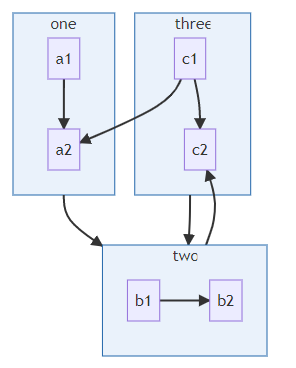
代码:
flowchart TB
    c1 -->a2
    subgraph one
    a1-->a2
    end
    subgraph two
    b1-->b2
    end
    subgraph three
    c1-->c2
    end
    one --> two
    three --> two
    two --> c2
+ 顺序图(Sequence Diagrams)
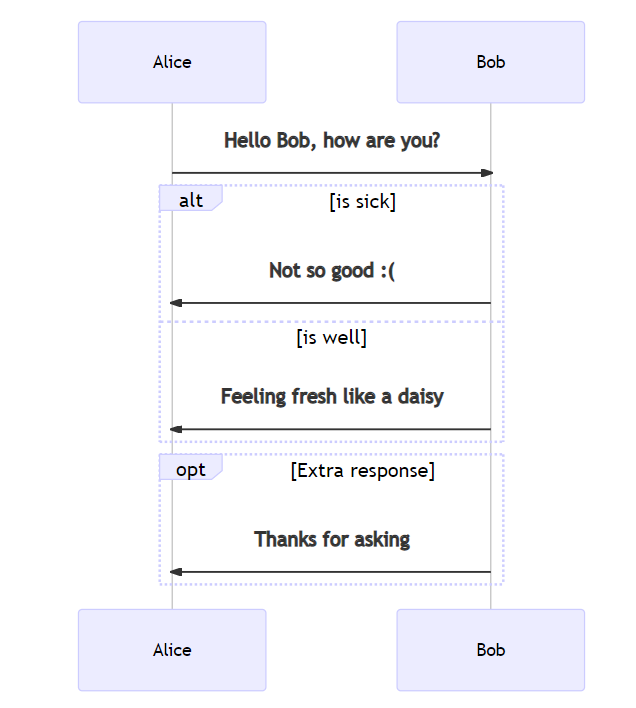
代码:
%% Example of sequence diagram
  sequenceDiagram
    Alice->>Bob: Hello Bob, how are you?
    alt is sick
    Bob->>Alice: Not so good :(
    else is well
    Bob->>Alice: Feeling fresh like a daisy
    end
    opt Extra response
    Bob->>Alice: Thanks for asking
    end
+ 甘特图(Gantt Charts )
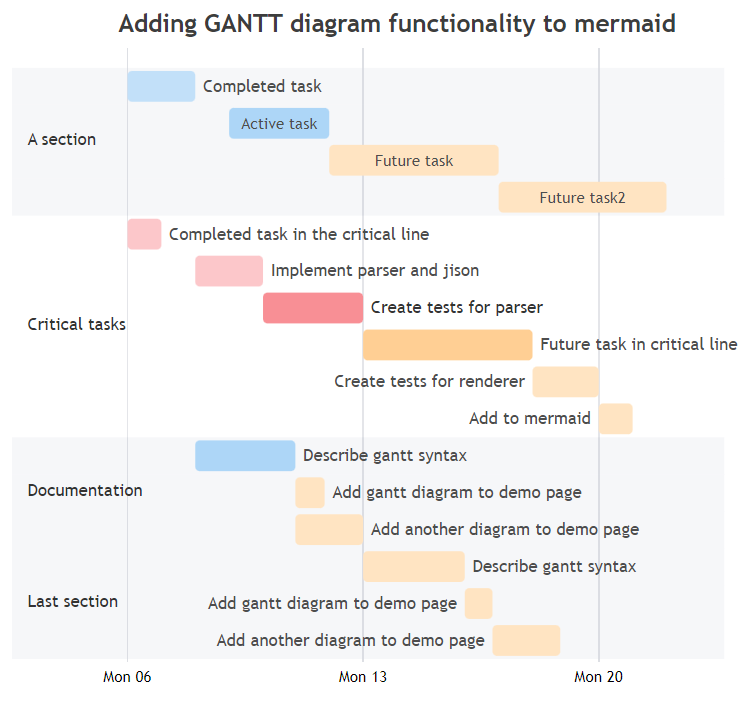
代码:
      gantt
        dateFormat  YYYY-MM-DD
        title Adding GANTT diagram functionality to mermaid

        section A section
        Completed task            :done,    des1, 2014-01-06,2014-01-08
        Active task               :active,  des2, 2014-01-09, 3d
        Future task               :         des3, after des2, 5d
        Future task2               :         des4, after des3, 5d

        section Critical tasks
        Completed task in the critical line :crit, done, 2014-01-06,24h
        Implement parser and jison          :crit, done, after des1, 2d
        Create tests for parser             :crit, active, 3d
        Future task in critical line        :crit, 5d
        Create tests for renderer           :2d
        Add to mermaid                      :1d

        section Documentation
        Describe gantt syntax               :active, a1, after des1, 3d
        Add gantt diagram to demo page      :after a1  , 20h
        Add another diagram to demo page    :doc1, after a1  , 48h

        section Last section
        Describe gantt syntax               :after doc1, 3d
        Add gantt diagram to demo page      : 20h
        Add another diagram to demo page    : 48h
+ 流程图(Flowcharts-graph)
1)LR
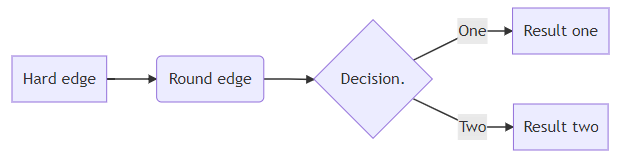
代码:
graph LR
A[Hard edge] -->B(Round edge)
    B --> C{Decision. }
    C -->|One| D[Result one]
    C -->|Two| E[Result two]
2)TB
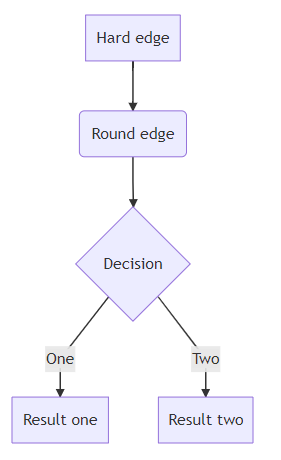
代码:
graph TB

A[Hard edge] -->B(Round edge)

    B --> C{Decision}

    C -->|One| D[Result one]

    C -->|Two| E[Result two]
3) TD
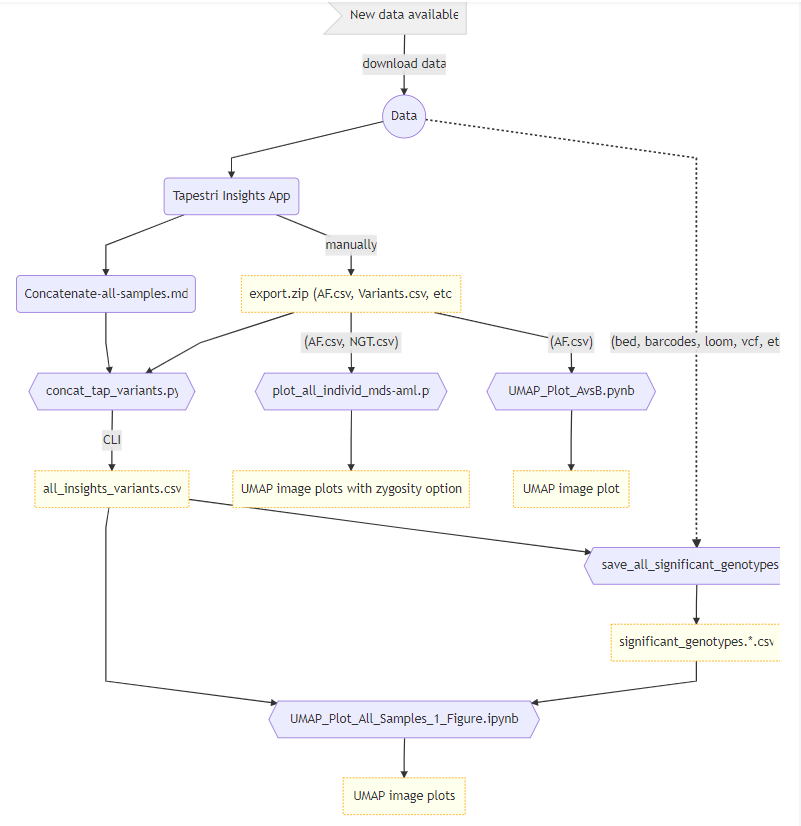
代码:
graph TD
    id1>New data available] --> |download data|download((Data))
    download --> id2(Tapestri Insights App)
    id2 --> id3(Concatenate-all-samples.md)
    id3 --> python
    file1 --> python{{concat_tap_variants.py}}
    id2 --> |manually|file1["export.zip (AF.csv, Variants.csv, etc)"]
    python --> |CLI|file2[all_insights_variants.csv]
    file2 --> R{{save_all_significant_genotypes.R}}
    download -.-> |"(bed, barcodes, loom, vcf, etc)"| R
    R --> file3[significant_genotypes.*.csv]
    file2 --> plotAllJupyter{{UMAP_Plot_All_Samples_1_Figure.ipynb}}
    file3 --> plotAllJupyter{{UMAP_Plot_All_Samples_1_Figure.ipynb}}
    plotAllJupyter --> file6[UMAP image plots]
    file1 --> |"(AF.csv, NGT.csv)"|plotall{{plot_all_individ_mds-aml.py}}
    plotall --> file5[UMAP image plots with zygosity option]
    file1 --> |"(AF.csv)"|plotUMAP{{UMAP_Plot_AvsB.pynb}}
    plotUMAP --> file4[UMAP image plot]
    style id1 fill:#f0f0f0,stroke:#ccc
    style file1 fill:#ffffed,stroke:orange,stroke-width:1px,stroke-dasharray: 2, 0
    style file2 fill:#ffffed,stroke:orange,stroke-width:1px,stroke-dasharray: 2, 0
    style file3 fill:#ffffed,stroke:orange,stroke-width:1px,stroke-dasharray: 2, 0
    style file4 fill:#ffffed,stroke:orange,stroke-width:1px,stroke-dasharray: 2, 0
    style file5 fill:#ffffed,stroke:orange,stroke-width:1px,stroke-dasharray: 2, 0
    style file6 fill:#ffffed,stroke:orange,stroke-width:1px,stroke-dasharray: 2, 0
+ 类图(Class Diagrams)
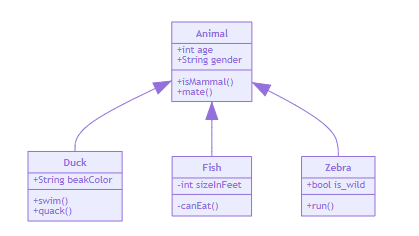
代码:
classDiagram
      Animal <|-- Duck
      Animal <|-- Fish
      Animal <|-- Zebra
      Animal : +int age
      Animal : +String gender
      Animal: +isMammal()
      Animal: +mate()
      class Duck{
          +String beakColor
          +swim()
          +quack()
      }
      class Fish{
          -int sizeInFeet
          -canEat()
      }
      class Zebra{
          +bool is_wild
          +run()
      }
+ 状态图(State Diagrams)
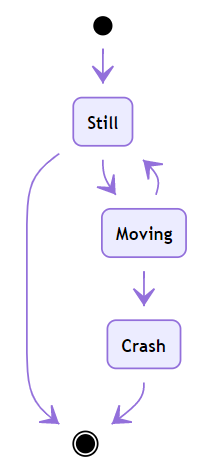
代码:
stateDiagram
    [*] --> Still
    Still --> [*]

    Still --> Moving
    Moving --> Still
    Moving --> Crash
    Crash --> [*]
+ 饼图(Pie Charts)
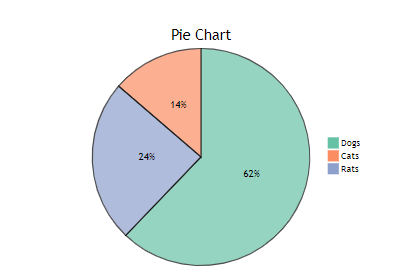
代码:
pie
    title Pie Chart
    "Dogs" : 386
    "Cats" : 85
    "Rats" : 150
备注
所有的代码都要放在 mermaid代码标签中才可以生效,当前使用的typora的版本为 版本0.9.9.36.2 (4901),如果不是当前版本,删除原来版本,升级到最新版本即可,如果只是单纯升级版本,可能会有些样式问题,这里建议删除干净原来的版本,再重新下载,即可。
本文参与 腾讯云自媒体同步曝光计划,分享自作者个人站点/博客。
原始发表:2023-10-10,如有侵权请联系 cloudcommunity@tencent.com 删除
目录
腾讯云开发者

Copyright © 2013 - 2026 Tencent Cloud. All Rights Reserved. 腾讯云 版权所有
深圳市腾讯计算机系统有限公司 ICP备案/许可证号:粤B2-20090059  粤公网安备44030502008569号
腾讯云计算(北京)有限责任公司 京ICP证150476号 | 京ICP备11018762号