
如何在不影响其他单元格的情况下对QTableWidget的一个单元格进行样式设计?
我正在处理一个表,并且在我的项目中使用QTableWidget。
我只需要更改一个单元格的颜色或样式,或者只更改一行的颜色或样式,我不想将所有的单元格都样式化。
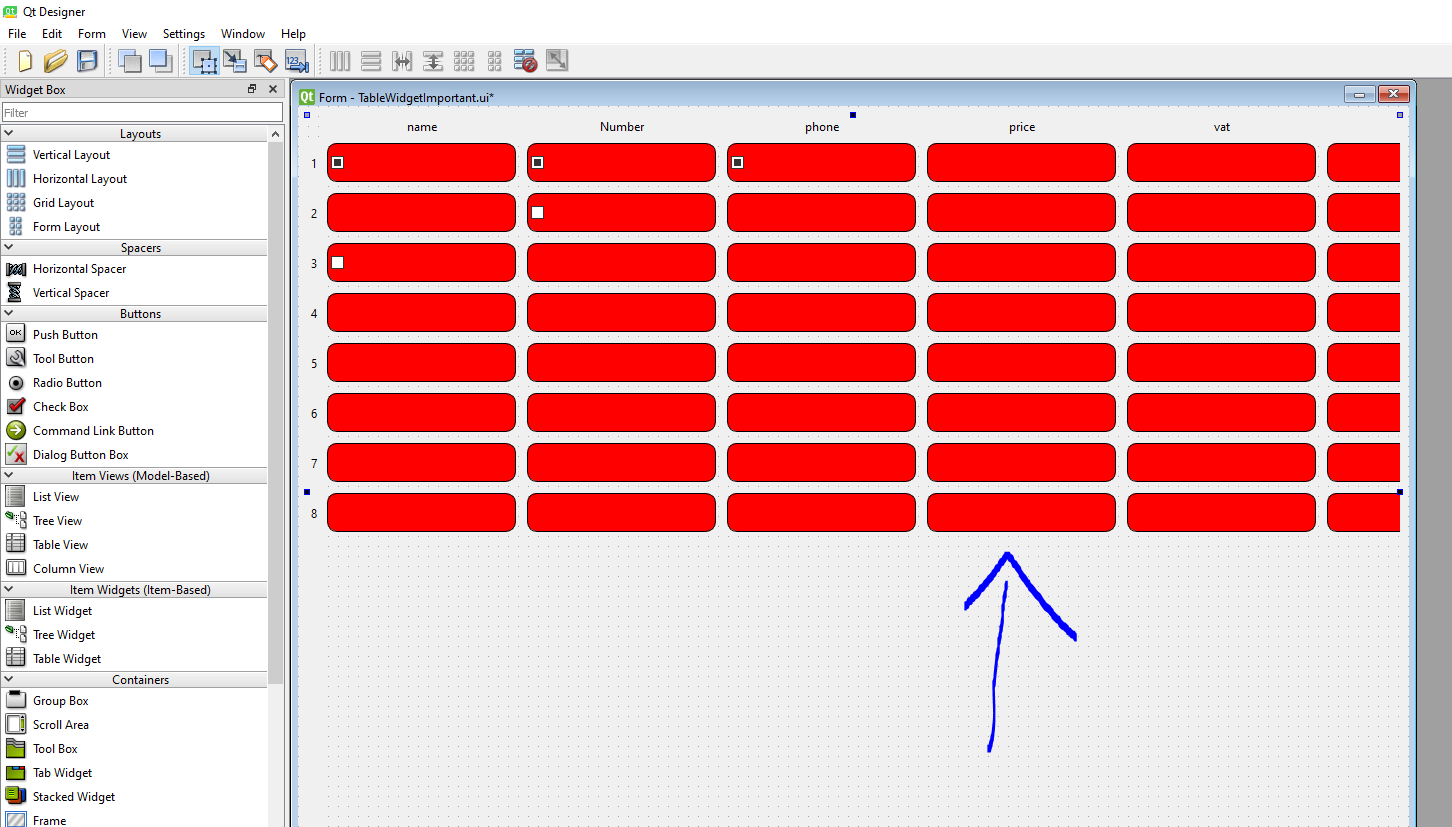
在上面的图像中,我更改了所有的单元格,但我只想更改一个单元格或一行。
有没有任何机会或方法去做这件事?
回答 1
Stack Overflow用户
发布于 2022-11-25 10:28:33
我将实现自己的QStyledItemDelegate,并将表设置为使用该表(setItemDelegate和朋友)。
对于您的需要,它可能非常简单,可能只需要重新实现一个方法,QStyledItemDelegate::initStyleOption()和内部将QStyleOptionViewItem的backgroundBrush属性设置为您需要的任何东西。
下面是一个C++示例(抱歉):
class BackgroundColorDelegate : public QStyledItemDelegate
{
    public:
        using QStyledItemDelegate::QStyledItemDelegate;

    protected:
        void initStyleOption(QStyleOptionViewItem *o, const QModelIndex &idx) const override
        {
            // first call the base class method
            QStyledItemDelegate::initStyleOption(o, idx);
            // Now you can override the background color based on some criteria,
            // in the data for example, or the Delegate could have a custom
            // property which the View sets as needed.
            if (idx.data(Qt::UserRole).toString() == "color-me-blue")
                o->backgroundBrush = QBrush(Qt::blue);
        }
};添加了:找到了一个Py示例这里,因此委托看起来如下(未经测试):
class BackgroundColorDelegate(QtWidgets.QStyledItemDelegate):
    def initStyleOption(self, option, index):
        super().initStyleOption(option, index)
        if index.data(QtCore.Qt.UserRole).toString() == "color-me-blue"):
            option.backgroundBrush = QtGui.QBrush(QtCore.Qt.blue);

class TableView(QtWidgets.QTableView):
    def __init__(self, parent=None):
        super().__init__(parent)
self.setItemDelegate(BackgroundColorDelegate(self))也是:另一种方法是将相关模型项的Qt.BackgroundRole设置为所需的颜色。这将适用于任何视图委托(包括默认的)。取决于您构建模型的方式,特别是如果您已经在使用自定义模型,这可能是更好的方法。
因此,例如,如果您想在构建模型时设置背景色,您可以
model.setData(index, QtCore.Qt.BackgroundRole, QtGui.QBrush(Qt.blue))
或者,如果使用QStandardItem,就会有一种方法:
item.setBackground(QtGui.QBrush(QtCore.Qt.blue))
或者,如果您实现了自己的模型,则可以从QAbstractItemModel::data()方法返回正确的颜色,如下所示
    def data(self, index, role):
        if not index.isValid():
            return QtCore.QVariant()
        elif role == QtCore.Qt.BackgroundRole:
            if index.data(QtCore.Qt.UserRole).toString() == "color-me-blue":
                return QtCore.Qt.blue
            else:
                return QtCore.Qt.transparent
        return super().data(index, role)
HTH,-Max
https://stackoverflow.com/questions/74540335
复制相似问题
腾讯云开发者

Copyright © 2013 - 2026 Tencent Cloud. All Rights Reserved. 腾讯云 版权所有
深圳市腾讯计算机系统有限公司 ICP备案/许可证号:粤B2-20090059  粤公网安备44030502008569号
腾讯云计算(北京)有限责任公司 京ICP证150476号 | 京ICP备11018762号