
载波:通过替换原始版本将上传的PNG转换为JPG (或:拥有与原始文件格式不同的版本)
我有以下模式:
class ScreenshotUploader < CarrierWave::Uploader::Base
  include CarrierWave::MiniMagick
  storage :file
  convert :jpg

  version :thumb do
    process resize_to_fill: [50, 50]
  end

  def extension_whitelist
    %w(jpg jpeg gif png)
  end

  version :print do
    process border: ['black']
    process quality: 80
  end
end通过https://github.com/layerssss/paste.js从剪贴板粘贴图像,然后将其作为base64编码的字符串保存到<textarea>中,然后使用https://github.com/y9v/carrierwave-base64 gem上传图像:
class Finding < ApplicationRecord
  mount_base64_uploader :screenshot, ScreenshotUploader
end
在HTML表单中,如下所示:
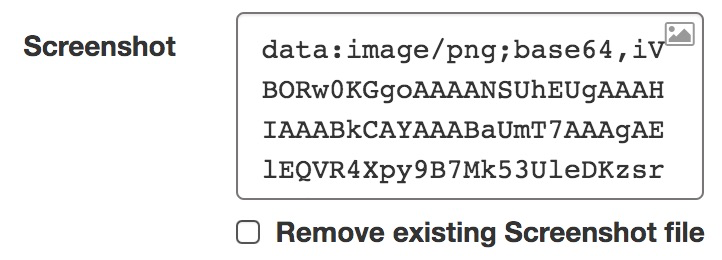
上传后,结果是以下文件:
screenshot.png--这是一只PNG,不是JPG!thumb_screenshot.jpgprint_screenshot.jpg
但我也需要将原始文件转换为JPG,因为我需要节省磁盘空间。我怎样才能做到这一点?
回答 2
Stack Overflow用户
发布于 2020-03-28 11:03:08
除了Vasiliy的回答之外,我还想出了以下几点:
  after :store, :convert_original_to_jpg

  def convert_original_to_jpg(new_file)
    if version_name.nil?
      system("mogrify -format jpg -quality 80  #{file.file}")
      system("unlink #{file.file}") # Remove the old PNG file
      model.update_column mounted_as, "#{mounted_as}.jpg" # The filename in the DB also needs to be manually set to .jpg!
    end
end虽然这适用于创建文件,但在更新文件时不起作用,因为new_file参数随后是nil,因此所有图像都会被删除。
我认为这是一些与载波波相关的怪事--base64 64创业板,我没有任何动机去进一步挖掘。因此,建议的解决方案可能不太有用,但为了文档起见,我想在这里发布它。
在我的特殊情况下,我决定放弃通过将PNG转换为JPG来节省磁盘空间的想法。相反,我只是将process quality: 80设置为在版本上至少节省了一些空间。
对于原始的PNG (它被载波波-base64 64 gem保存在无损状态),我只需使用以下代码来缩小其质量:
  after :store, :optimise_images

  def optimise_images(new_file)
    return if Rails.env.test? # Optimising consumes quite some time, so let's disable it for tests

    if version_name.nil?
      image_optim = ImageOptim.new pngout: false,
                                   svgo: false,
                                   pngcrush: false,
                                   optipng: false,
                                   pngquant: {allow_lossy: true}, # Everything disabled except pngquant, to keep the performance at a good level
                                   advpng: false
      image_optim.optimize_images!(Dir["#{File.dirname(file.file)}/*.png"])
    end
endStack Overflow用户
发布于 2020-03-11 14:30:53
您可以这样做,就像它写在载波文献上一样,只需用system("mogrify -format jpg #{file.file}")替换system("mogrify -resize '1200\>' #{file.file}"),然后删除原始文件。
https://stackoverflow.com/questions/60622916
复制相似问题
腾讯云开发者

Copyright © 2013 - 2026 Tencent Cloud. All Rights Reserved. 腾讯云 版权所有
深圳市腾讯计算机系统有限公司 ICP备案/许可证号:粤B2-20090059  粤公网安备44030502008569号
腾讯云计算(北京)有限责任公司 京ICP证150476号 | 京ICP备11018762号