
HTML5数字段箭头定制
HTML5数字段箭头定制
提问于 2014-07-09 13:26:39
我可以定制吗?
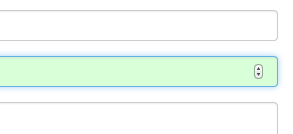
<input type='number'> 字段显示所有时间--它是箭头?默认情况下,它是隐藏的,直到字段没有焦点为止。下面是我要说的。
回答 3
Stack Overflow用户
回答已采纳
发布于 2014-07-10 13:40:00
Firefox和IE没有这样的行为。所以,我想你是在使用谷歌Chrome。
input::-webkit-inner-spin-button {
    opacity: 1;
}
仅供参考。UA样式表有以下内容:
input::-webkit-inner-spin-button {
    ...
    opacity: 0;
    pointer-events: none;
}

input:enabled:read-write:-webkit-any(:focus,:hover)::-webkit-inner-spin-button {
    opacity: 1;
    pointer-events: auto;
}
html.css
Stack Overflow用户
发布于 2014-07-09 13:28:22
<input type='number'>的UI和行为以及所有其他HTML5输入类型(例如type='date'等)都依赖于浏览器和/或系统。要使箭头始终可见,您需要使用自定义JS解决方案。
Stack Overflow用户
发布于 2014-07-09 13:35:55
我唯一能想到的方法就是..。有两个按钮,用于增量和递减input并使用JS。您不会在这里使用type="number",因为JS将为您增加和减少数量。
下面是一个例子,正如提到的这里
CSS:
.spin {
    display: inline-block;
}
.spin span {
    display: inline-block;
    width: 20px;
    height: 22px;
    text-align: center;
    padding-top: 2px;
    background: #fff;
    border: 1px solid #aaa;
    border-radius: 0 4px 4px 0;
    cursor: pointer;
}
.spin span:first-child {
    border-radius: 4px 0 0 4px;
}
.spin input {
    width: 40px;
    height: 20px;
    text-align: center;
    font-weight: bold;
}
JS:
var spins = document.getElementsByClassName("spin");
for (var i = 0, len = spins.length; i < len; i++) {
    var spin = spins[i],
        span = spin.getElementsByTagName("span"),
        input = spin.getElementsByTagName("input")[0];

    input.onchange = function() { input.value = +input.value || 0; };
    span[0].onclick = function() { input.value = Math.max(0, input.value - 1); };
    span[1].onclick = function() { input.value -= -1; };
}注意:更改background: #fff;以更改箭头颜色。还有其他整洁的例子可以在网络上以及!
演示
页面原文内容由Stack Overflow提供。腾讯云小微IT领域专用引擎提供翻译支持
原文链接:
https://stackoverflow.com/questions/24654990
复制相关文章
相似问题
腾讯云开发者

Copyright © 2013 - 2026 Tencent Cloud. All Rights Reserved. 腾讯云 版权所有
深圳市腾讯计算机系统有限公司 ICP备案/许可证号:粤B2-20090059  粤公网安备44030502008569号
腾讯云计算(北京)有限责任公司 京ICP证150476号 | 京ICP备11018762号