
如何创建1 1px边框网格
如何创建1 1px边框网格
提问于 2015-12-20 23:15:15
我想要建立一个干净的网格。我已经有了一些有用的东西,但我有一个2px边框。这是我的代码:
在活动中:
setContentView(R.layout.activity_game);
GridView gridview = (GridView) findViewById(R.id.gvGame);
ButtonAdapter buttonAdapter = new ButtonAdapter(GameActivity.this, myList.getList());
gridview.setAdapter(buttonAdapter);
activity_game.xml:
<?xml version="1.0" encoding="utf-8"?>
<RelativeLayout xmlns:android="http://schemas.android.com/apk/res/android"
    android:layout_width="match_parent"
    android:layout_height="match_parent"
    android:orientation="vertical">

    <GridView
        android:id="@+id/gvGame"
        android:layout_width="wrap_content"
        android:layout_height="wrap_content"
        android:layout_centerHorizontal="true"
        android:layout_centerVertical="true"
        android:background="@android:color/white"
        android:gravity="center_vertical"
        android:numColumns="3"
        android:scrollbarStyle="outsideOverlay"
        android:stretchMode="columnWidth" />
</RelativeLayout>
在ButtonAdapter的某个地方:
button.setBackgroundResource(R.drawable.grid_button);grid_button.xml (可绘图):
<?xml version="1.0" encoding="utf-8"?>
<layer-list xmlns:android="http://schemas.android.com/apk/res/android">
    <item>
        <shape>
            <solid android:color="@android:color/black" />
        </shape>
    </item>
    <item
        android:bottom="1px"
        android:left="1px"
        android:right="1px"
        android:top="1px">
        <shape android:shape="rectangle">
            <solid android:color="@android:color/white" />
        </shape>
    </item>
</layer-list>
结果:
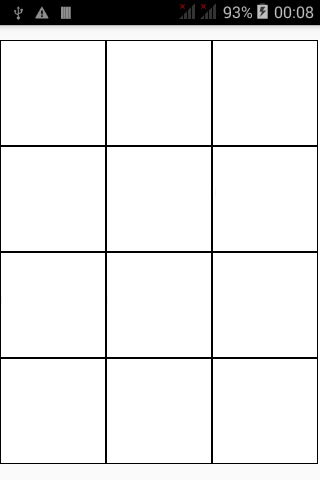
我怎么能在任何地方得到一个1 1px的边界网格?
注意:每个方块必须是可点击的。
回答 2
Stack Overflow用户
回答已采纳
发布于 2015-12-21 02:09:46
在您的RelativeLayout's top和left侧以及在每个单元格的right和bottom侧的1px边框上设置一个1px边框如何?
这将产生所需的效果,但如果最后一行中的单元格数量较少,则不确定希望结果是什么。
Stack Overflow用户
发布于 2015-12-20 23:38:42
我建议使用间距属性的GridView代替,以实现均匀间隔的网格。
<GridView
    ...
    android:horizontalSpacing="1px"
    android:verticalSpacing="1px"
    ... />
这在GridView的大小为1px的项之间创建了一个空间。
如果希望间距为黑色,则必须将GridView(或其父背景)设置为黑色。
当然,现在您必须移除按钮背景的黑色边框。
页面原文内容由Stack Overflow提供。腾讯云小微IT领域专用引擎提供翻译支持
原文链接:
https://stackoverflow.com/questions/34386973
复制相关文章
相似问题
腾讯云开发者

Copyright © 2013 - 2026 Tencent Cloud. All Rights Reserved. 腾讯云 版权所有
深圳市腾讯计算机系统有限公司 ICP备案/许可证号:粤B2-20090059  粤公网安备44030502008569号
腾讯云计算(北京)有限责任公司 京ICP证150476号 | 京ICP备11018762号