
在AlertController中动态添加表视图,如何快速?
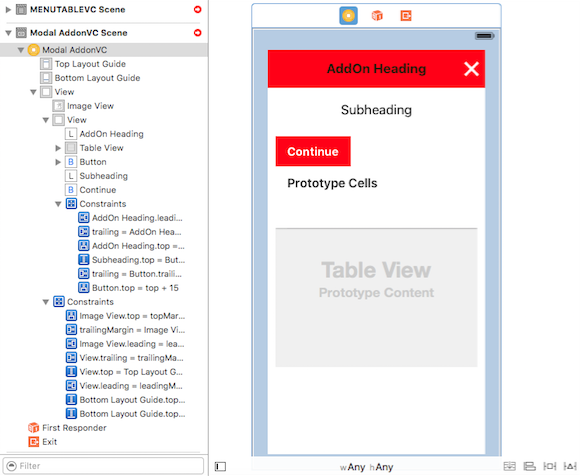
我需要在UIAlertView中显示像UIAlertView这样的项目。我该怎么做??或者如果我搞错了,建议我是书呆子?
我的屏幕应该是
提前谢谢。

**编辑的屏幕**
回答 2
Stack Overflow用户
发布于 2016-07-26 08:13:03
创建一个新的UIViewController,并在表示它之前将modalPresentationStyle属性设置为UIModalPresentationOverCurrentContext。UIViewController的视图必须将clear color设置为背景色,并由带有α0.5和灰色的UIImageView覆盖。这将产生半透明效果,然后添加所需的其他UI元素(表视图、按钮等)。
假设您有CustomViewController来显示上面描述的内容。您将使用以下状态表示它:
let customVC = CustomViewController()
customVC.modalPresentationStyle = .OverCurrentContext
presentViewController(customVC, animated: false, completion: nil)在此之前,请按以下方式自定义CustomViewController:
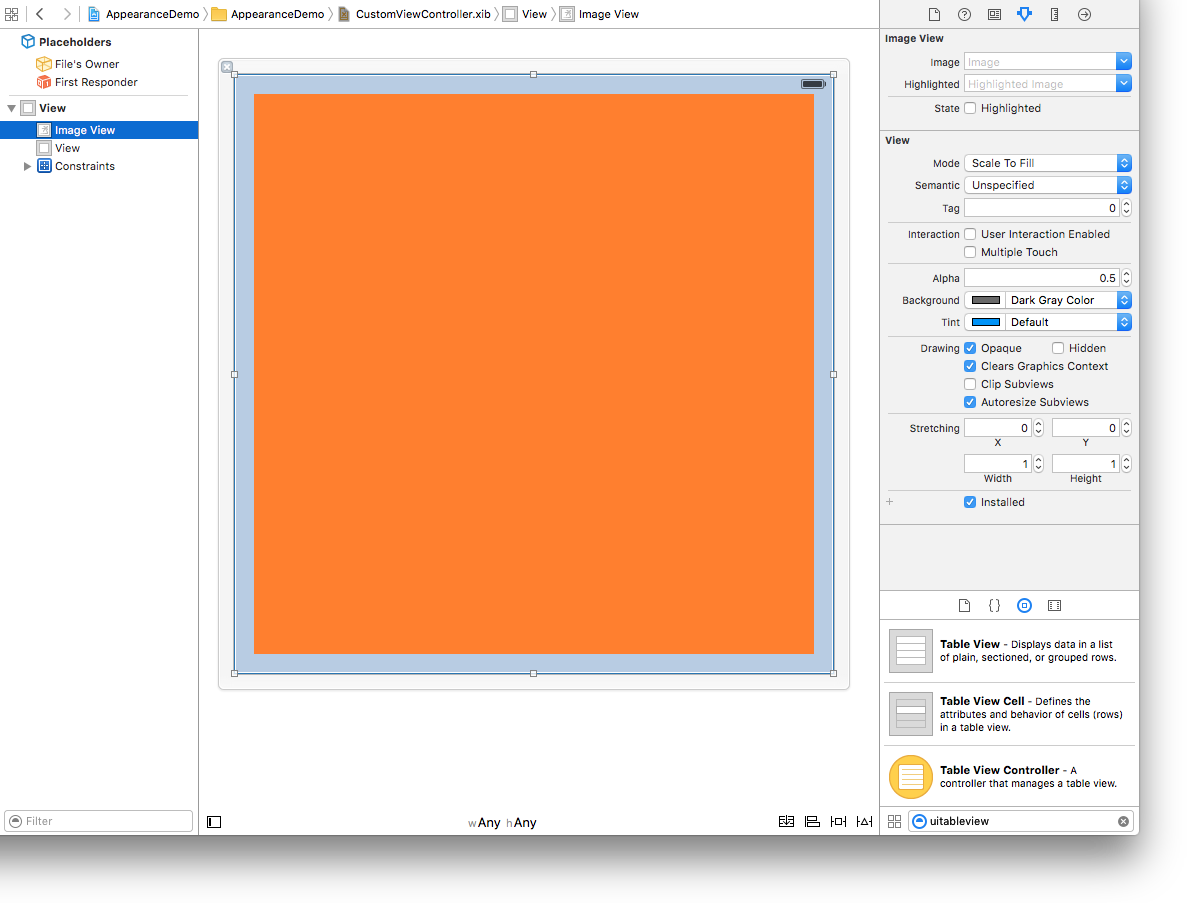
CustomViewController视图必须将背景色设置为clear color- 覆盖
CustomViewController视图的图像视图,将其设置为alpha= 0.5,background颜色设置为深灰色。 - 一个内容视图(您将在其中放置您需要的UI组件的表视图和其余部分)
因此,您将拥有这样的视图:
Stack Overflow用户
发布于 2016-07-26 08:19:54
理想情况下,您必须创建另一个具有表视图的UIViewController,并如@Azimov所说,使用modalPresentationStyle显示覆盖。
或者在UITableView之外创建UIViewController并将其添加为子视图。
否则,如果您仍然希望添加警报视图,那么您可以像下面这样做。
var alertView: UIAlertView!

alertView = UIAlertView(title: "", message:nil , delegate: nil, cancelButtonTitle:nil )

// Here you have to draft whole code for table view
// var newTableview: UITableView!
// Then you can add it on alert view by using accessoryView

alertView.setValue(newTableview, forKey: "accessoryView")https://stackoverflow.com/questions/38584247
复制相似问题
腾讯云开发者

Copyright © 2013 - 2026 Tencent Cloud. All Rights Reserved. 腾讯云 版权所有
深圳市腾讯计算机系统有限公司 ICP备案/许可证号:粤B2-20090059  粤公网安备44030502008569号
腾讯云计算(北京)有限责任公司 京ICP证150476号 | 京ICP备11018762号