
错误MSB4216:无法运行"GenerateResource“任务,因为MSBuild无法创建或连接到任务
请注意,我能够在2017:https://github.com/briannoyes/WPFMVVM-StarterCode中构建这个项目
但是,当我试图在Team 2019.1中运行构建时,它给了我一个错误:
C:\Program Files\dotnet\sdk\2.0.0\Microsoft.Common.CurrentVersion.targets(2924,5): error MSB4216: Could not run the "GenerateResource" task because MSBuild could not create or connect to a task host with runtime "CLR4" and architecture "x86".然后我找到了这个链接:
'dotnet build' error after migrating dotnetcore project to 1.0.4
然后,我将其添加到项目中,如评论中所建议的那样:
<Prefer32Bit>false</Prefer32Bit>但现在我发现了一个错误:
构建脚本(1) Customers\AddEditCustomerView.xaml.cs(25,13):错误CS0103:当前上下文中不存在名称'InitializeComponent‘(25,13):错误CS0103:当前上下文中不存在'InitializeComponent’名称(25,13):错误CS0103:当前上下文中不存在'InitializeComponent‘名称(25,13):错误CS0103:当前上下文中不存在名称'InitializeComponent’上下文MainWindow.xaml.cs(25,13):error CS0103:在当前上下文CSC中不存在'InitializeComponent‘:error CS5001: Program不包含适合于入口点···构建失败条件(1)与代码1存在的进程的静态’InitializeComponent‘方法。
以下是我在构建步骤中的设置:
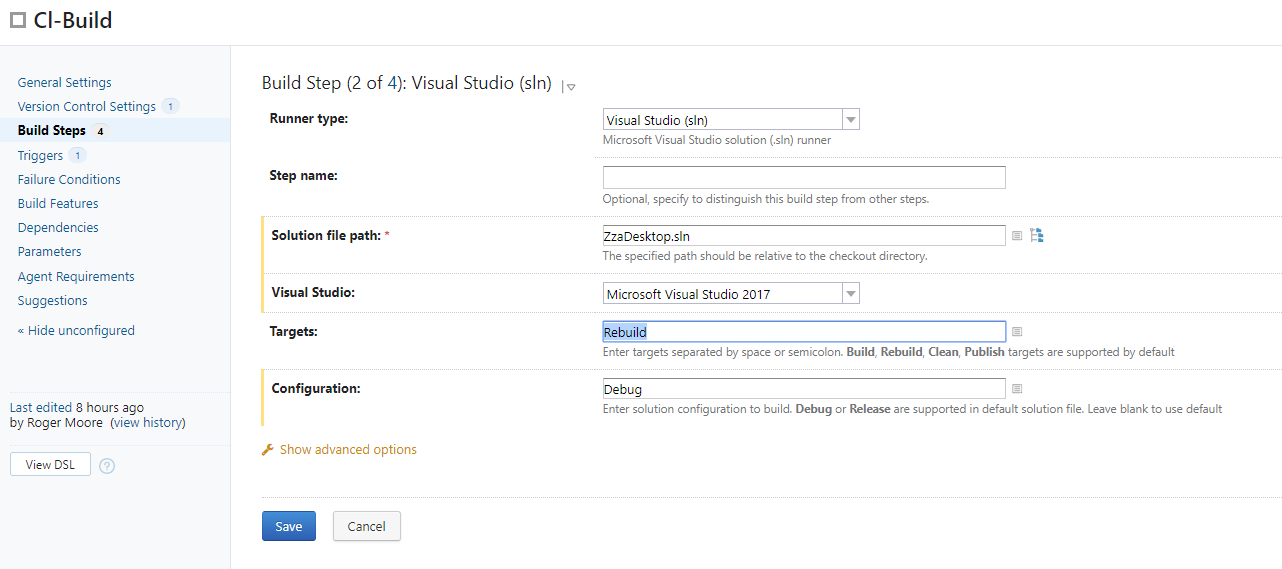
以下是完整的构建日志:
有人有什么建议吗?
回答 1
Stack Overflow用户
发布于 2019-03-12 22:02:50
请注意,最新的TeamCity默认支持.NET核心,因此它自动添加了以下步骤:
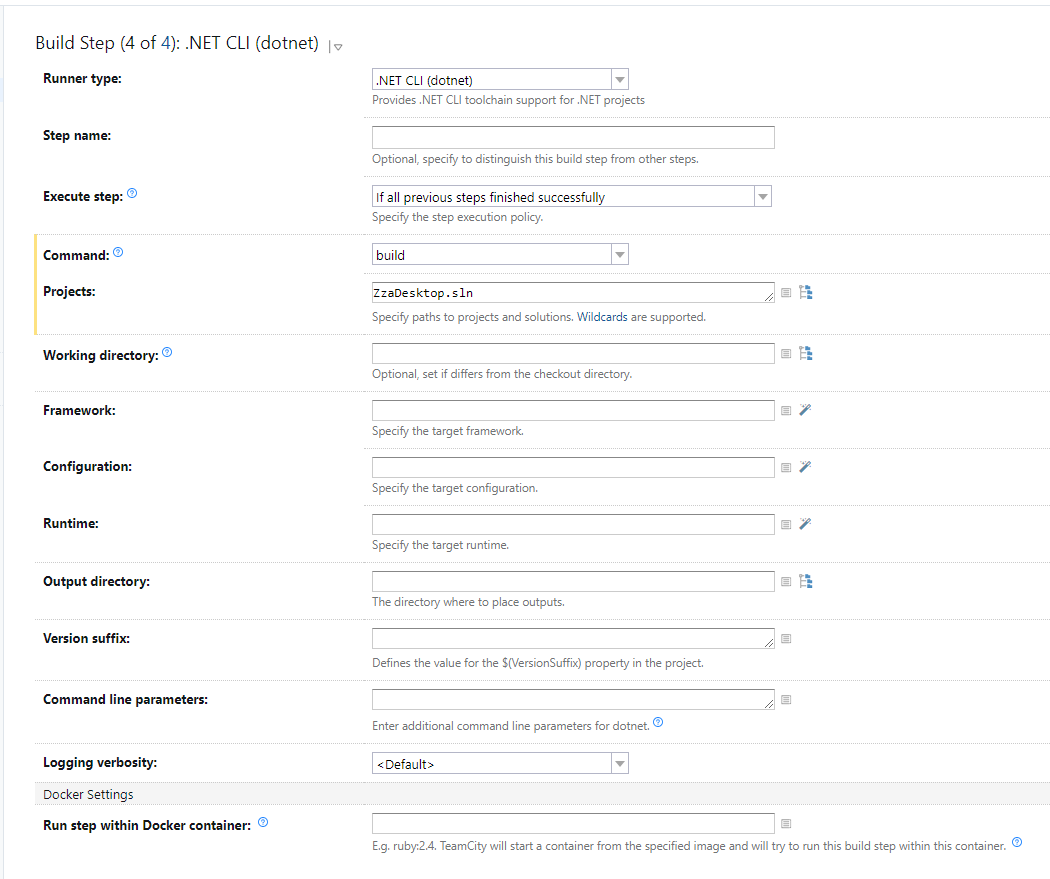
但是我真正需要的构建步骤是在我的问题中给出的使用.NET Framework4.7,而不是 .NET Core的WPF应用程序的步骤2,所以我禁用了第4步,现在构建开始工作了。
https://stackoverflow.com/questions/54987434
复制相似问题
腾讯云开发者

Copyright © 2013 - 2026 Tencent Cloud. All Rights Reserved. 腾讯云 版权所有
深圳市腾讯计算机系统有限公司 ICP备案/许可证号:粤B2-20090059  粤公网安备44030502008569号
腾讯云计算(北京)有限责任公司 京ICP证150476号 | 京ICP备11018762号