selenium源码通读·11 |webdriver/common/touch_actions.py-TouchActions类分析
原创
selenium源码通读·11 |webdriver/common/touch_actions.py-TouchActions类分析
原创
虫无涯
发布于 2023-02-10 09:05:50
发布于 2023-02-10 09:05:50
1 源码路径
selenium/webdriver/common/touch_actions.py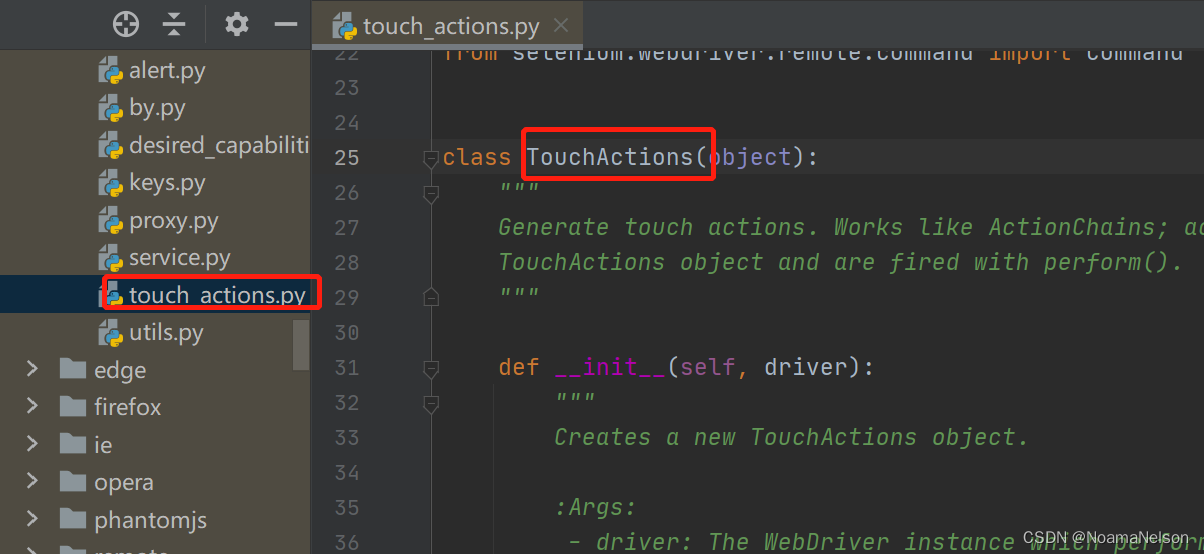
在这里插入图片描述
2 功能说明
class TouchActions(object):
    """
    Generate touch actions. Works like ActionChains; actions are stored in the
    TouchActions object and are fired with perform().
"""- 模拟移动端操作;
- 类似ActionChains一样;
- 动作存储在
TouchActions对象中,并通过perform()触发使用。
3 __init__说明
    def __init__(self, driver):
        """
        Creates a new TouchActions object.

        :Args:
         - driver: The WebDriver instance which performs user actions.
           It should be with touchscreen enabled.
        """
        self._driver = driver
self._actions = []- 创建新的TouchActions对象;
- 执行用户操作的WebDriver实例,即传入driver。
4 perform说明
    def perform(self):
        """
        Performs all stored actions.
        """
        for action in self._actions:
action()- 执行所有存储的操作。
5 所有API
API | 说明 |
|---|---|
| 单击 |
| 双击 |
| 在对应x,y坐标按住 |
| 移动到指定位置 |
| 在指定位置释放之前发出的 |
| 滚动到某个位置 |
| 从 |
| 长按 |
| 从屏幕任何地方开始,以x,y的速度(像素/秒)进行移动 |
| 从元素on_element开始,以x,y的速度(像素/秒)移动x,y偏移量 |
6 实例说明
# -*- coding:utf-8 -*-
# 作者:NoamaNelson
# 日期:2022/5/24
# 文件名称:selen_touch.py
# 作用:TouchActions类
# 联系:VX(NoamaNelson)
# 博客:https://blog.csdn.net/NoamaNelson


from time import sleep
from selenium import webdriver
from selenium.webdriver import TouchActions

"""
1、打开chrome,输入百度网址
2、搜索框输入“NoamaNelson”,点击搜索
3、上划页面到底部,点击“下一页”
"""
option = webdriver.ChromeOptions()
option.add_experimental_option('w3c', False)
driver = webdriver.Chrome(options=option)
driver.maximize_window()
driver.implicitly_wait(3)

driver.get("https://www.baidu.com")
el = driver.find_element_by_id("kw")
el_search = driver.find_element_by_id("su")
el.send_keys("NoamaNelson")
action = TouchActions(driver)
action.tap(el_search)
action.scroll_from_element(el, 0, 3000)
action.perform()
driver.find_element_by_css_selector('#page > div > a.n').click()
sleep(3)
原创声明:本文系作者授权腾讯云开发者社区发表,未经许可,不得转载。
如有侵权,请联系 cloudcommunity@tencent.com 删除。
目录
腾讯云开发者

Copyright © 2013 - 2026 Tencent Cloud. All Rights Reserved. 腾讯云 版权所有
深圳市腾讯计算机系统有限公司 ICP备案/许可证号:粤B2-20090059  粤公网安备44030502008569号
腾讯云计算(北京)有限责任公司 京ICP证150476号 | 京ICP备11018762号