颠覆传统!微软官方推出的终极装机外挂!安全、高效、无广告、无捆绑

颠覆传统!微软官方推出的终极装机外挂!安全、高效、无广告、无捆绑

民工哥
发布于 2026-03-24 19:11:57
发布于 2026-03-24 19:11:57
— 特色专栏 —
大家好,我是民工哥!
无论是技术人员、还是日常家庭用户,每次安装完系统之后,就是需要一个个下载、安装一堆常用软件,不仅费时费力,有时一个不小心,就会下载到一堆捆绑流氓软件。
现在好了,不用折腾了。
微软官方出了一款终极装机外挂软件:Winget!

@winget-run
WinGet(Windows Package Manager)是微软官方推出的开源命令行包管理工具,为 Windows 用户提供了高效、安全、便捷的软件管理解决方案,堪称“终极装机外挂”。
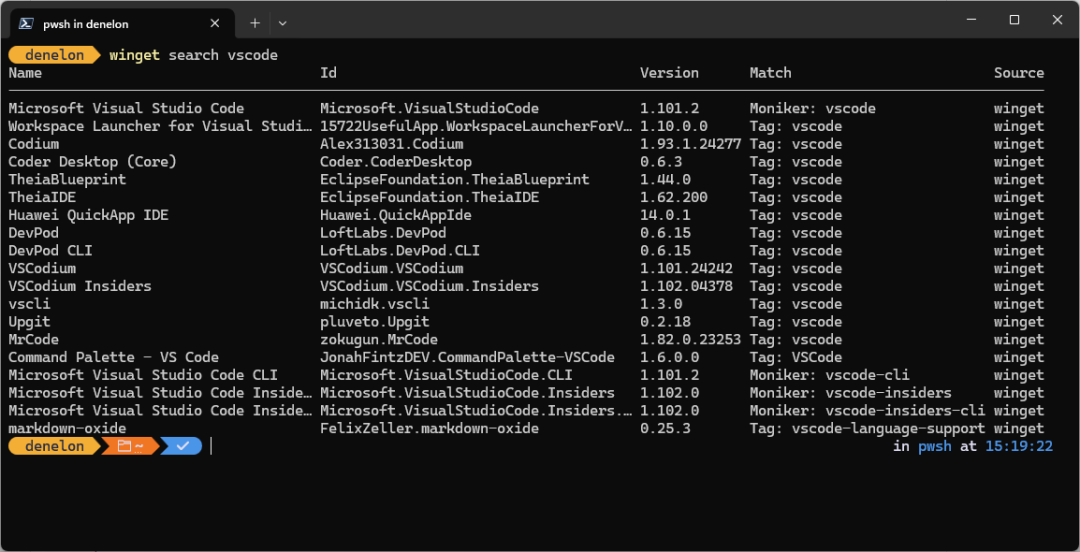
Screenshot Windows PowerShell displaying the results of the winget search command.
通过 winget install <软件名> 命令,直接从微软官方源或社区仓库安装软件,无需手动下载安装包,彻底摆脱广告捆绑和恶意软件的困扰。
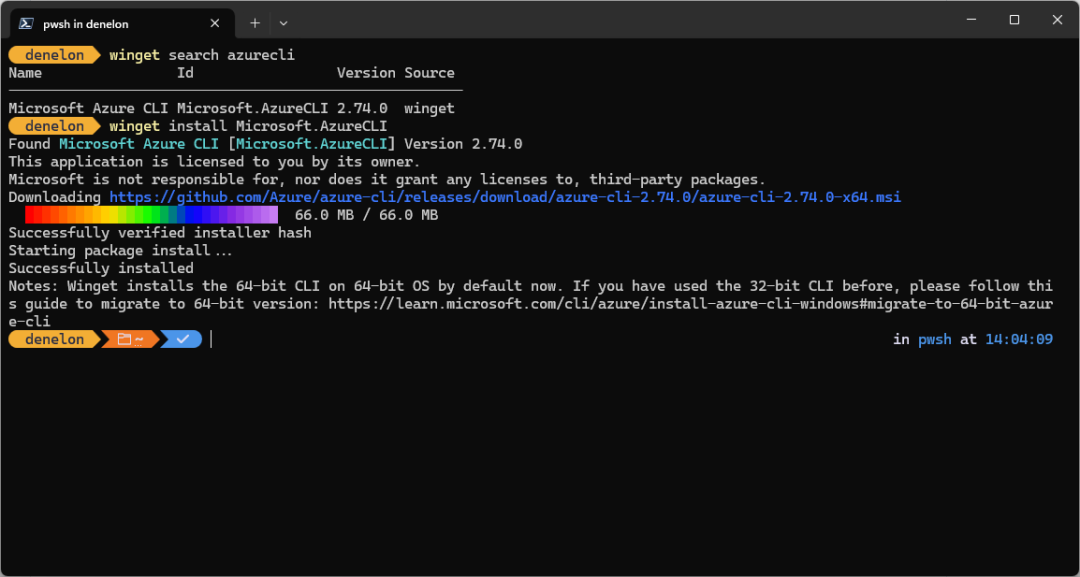
winget commandline
WinGet 支持批量安装,通过 winget.run 网站生成脚本,一键安装多个软件(如 Chrome、VS Code 等),省时省力。
用户可以通过执行 winget upgrade --all 命令可一键更新所有已安装软件,确保系统始终运行最新版本,避免安全漏洞。
也支持单独更新特定软件(如 winget upgrade <软件名>),灵活控制更新范围。
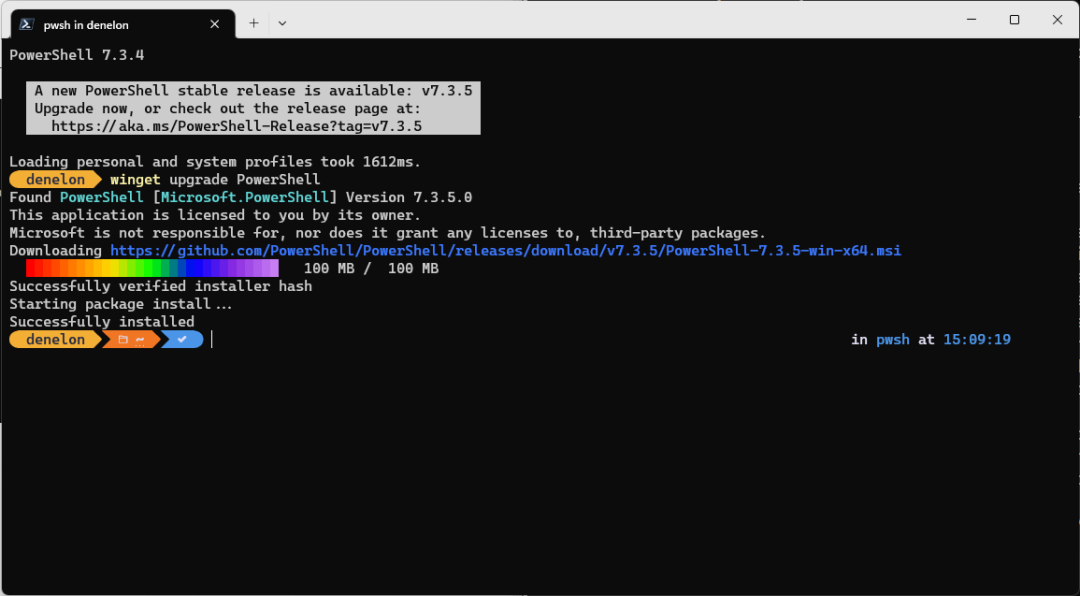
Screenshot of entering the winget upgrade command in a command line of Windows Terminal.
卸载软件也非常方便,直接执行 winget uninstall <软件名> 命令可彻底卸载软件,从而避免传统卸载方式残留注册表或文件的问题。
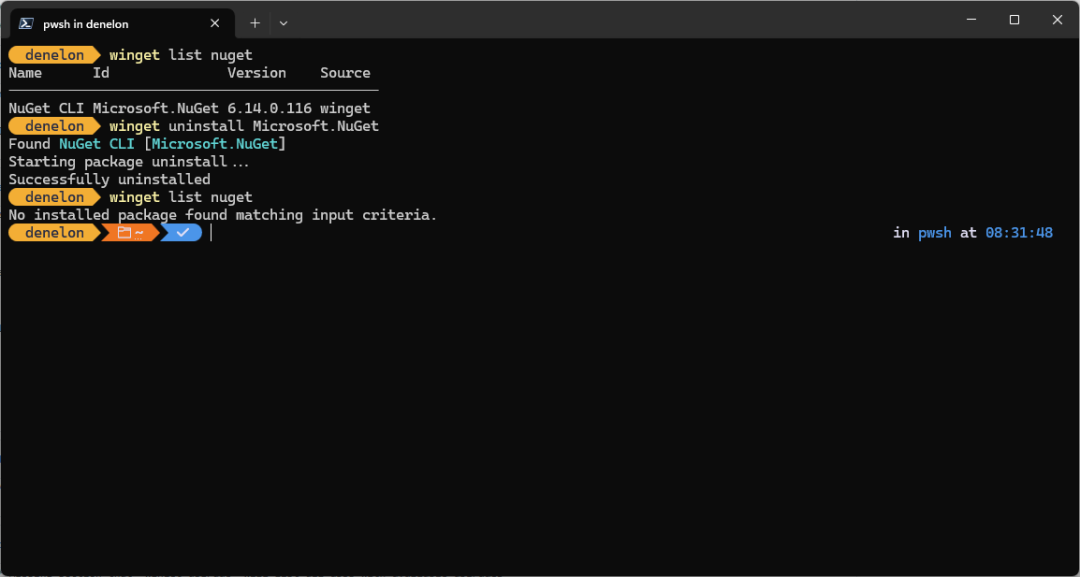
Screenshot of entering the winget uninstall command in a command line of Windows Terminal.
它还支持软件环境迁移,我们可以通过 winget export -o apps.json 导出已安装软件列表。
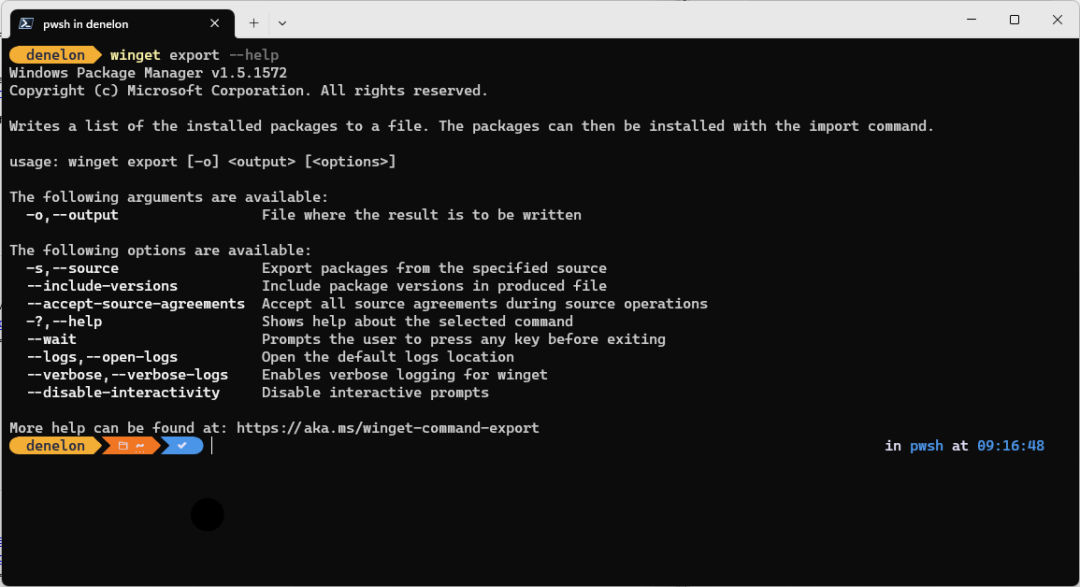
Image of the export command usage
再在新电脑上执行 winget import -i apps.json,即可快速还原工作环境,尤其适合重装系统或更换设备时使用,这个功能简直太方便了。
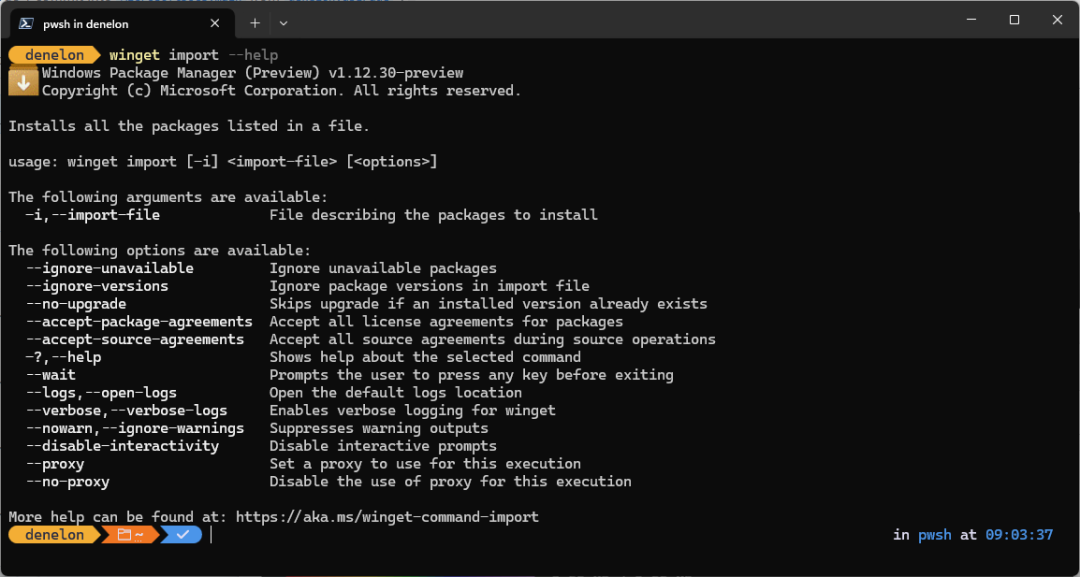
Screenshot listing winget import command help options.
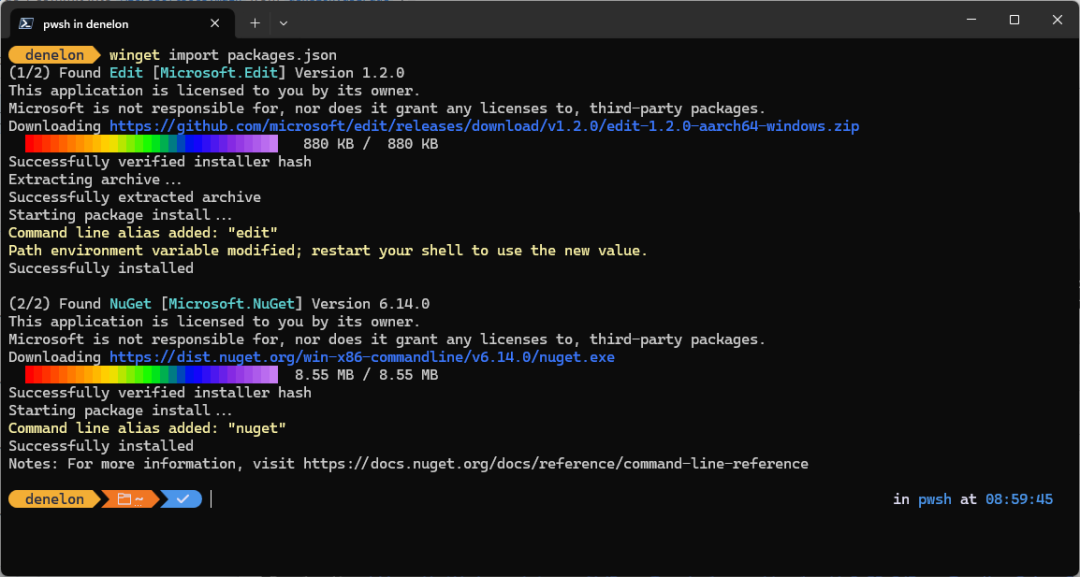
Screenshot of entering the winget import command in a command line of Windows Terminal.
技术亮点:安全、高效、跨平台
官方背书,安全可靠
Winget 的软件源由微软维护,直接从官方或可信渠道获取安装包,避免下载到被篡改的软件,安全性远超手动下载。
极简命令行,高效操作
基于命令行设计,支持自动补全和智能提示,熟练后可大幅提升操作效率。例如:
- 搜索软件:
winget search <关键词> - 查看已安装软件:
winget list - 显示软件详情:
winget show <软件名>
跨平台兼容,支持全架构
兼容 Windows 10/11 及 Server 版本,支持 x86、x64、ARM 和 ARM64 架构,覆盖从老旧设备到新型硬件的广泛需求。
使用
Windows 11 系统默认内置,无需额外安装。
Windows 10 系统可通过 Microsoft Store 更新“应用安装程序”(App Installer)至最新版本即可获取 Winget 功能。
在命令提示符或 PowerShell 中输入 winget,若显示帮助信息则代表系统已经安装了winget,可以直接使用它进行安装软件操作。
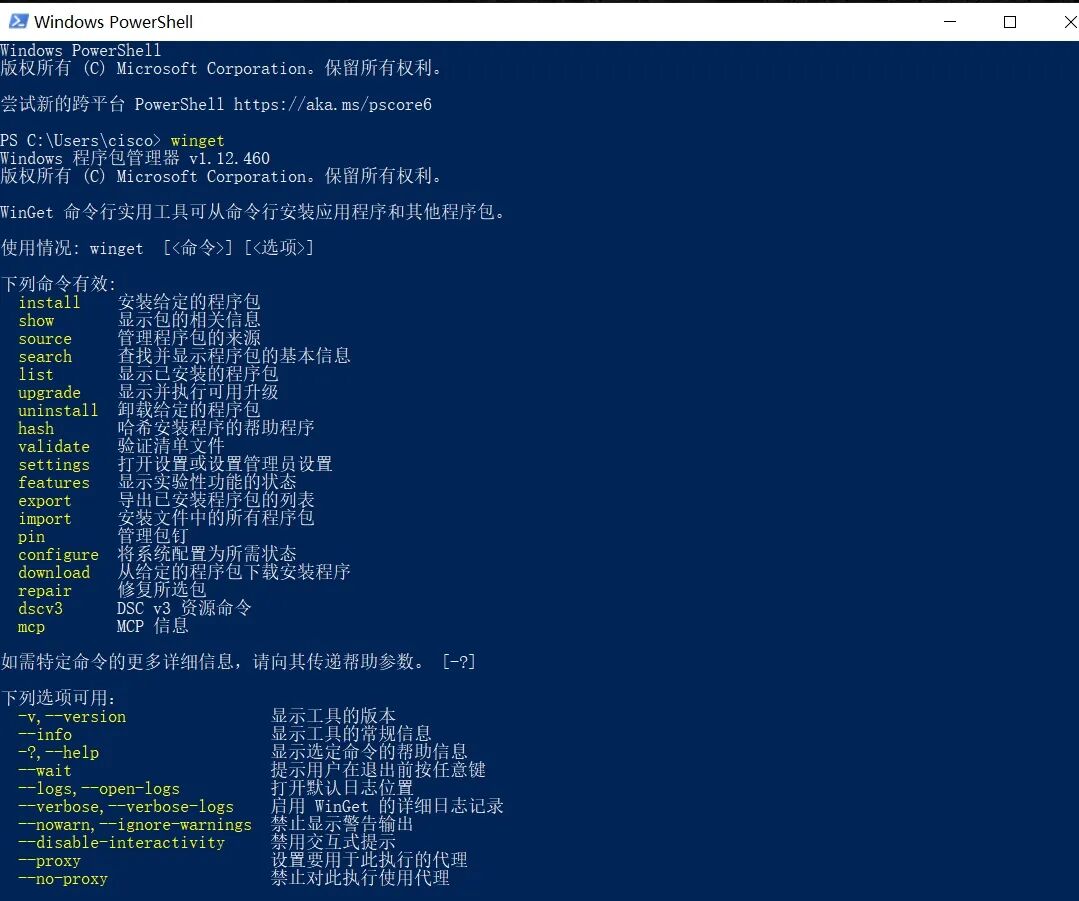
批量安装,可以访问 https://winget.run 去批量生成安装脚本:
- 1、搜索你所需安装的软件,点击+号添加软件列表
- 2、然后点击Copy复制生成的安装脚本
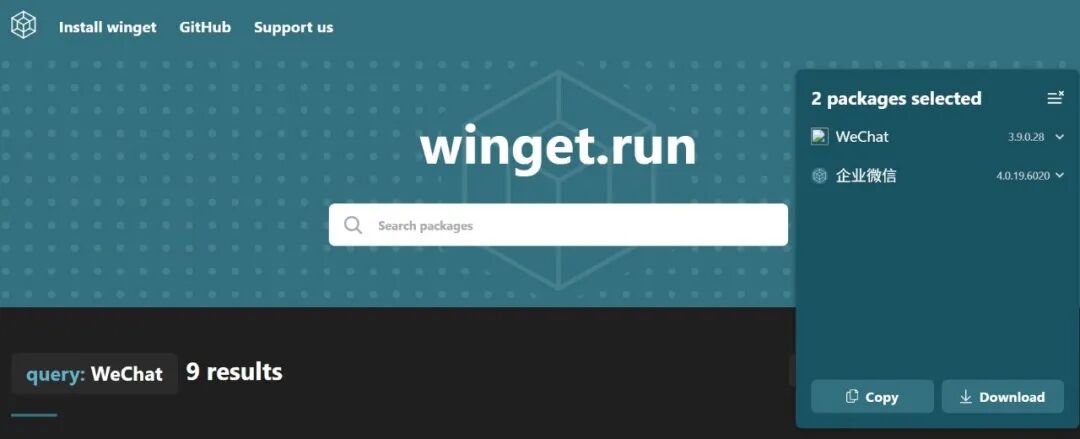
winget install -e --id Tencent.WeChat;winget install -e --id Tencent.wechat-work
将上述命令在 PowerShell 中执行即可一键安装所需软件。
一圈使用下来,非常简单、方便,无论是新手小白、还是技术大牛,都能轻松上手。
适用场景
谁需要 Winget?
- 极客/开发者:通过脚本批量部署开发环境,节省时间。
- 普通用户:简化软件安装流程,避免手动下载的繁琐和风险。
- 企业/IT 管理员:统一管理多台设备的软件环境,确保安全性和一致性。
结语
Winget 是微软为 Windows 用户打造的“官方装机神器”,以简洁高效的命令行操作,彻底颠覆了传统软件管理方式。
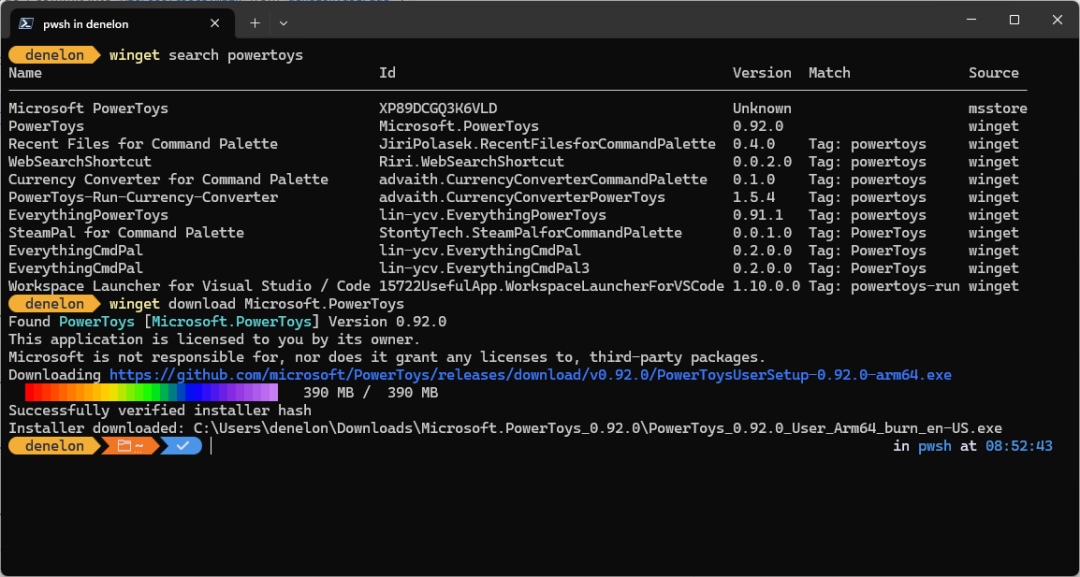
Screenshot of entering the winget download command in a command line of Windows Terminal.
无论是批量安装、一键更新,还是快速迁移软件环境,它都能以极低的门槛和极高的安全性,让用户彻底告别手动下载的繁琐与风险。
对于追求效率的极客、注重安全的普通用户,或是需要统一管理设备的企业,Winget 都是不可多得的“装机外挂”——让 Windows 也能像 Linux 一样,用一行命令掌控全局。
觉得不错的话,随手点个赞👍 、推荐
本文参与 腾讯云自媒体同步曝光计划,分享自微信公众号。
原始发表:2026-02-28,如有侵权请联系 cloudcommunity@tencent.com 删除
评论
登录后参与评论
推荐阅读
目录
腾讯云开发者

Copyright © 2013 - 2026 Tencent Cloud. All Rights Reserved. 腾讯云 版权所有
深圳市腾讯计算机系统有限公司 ICP备案/许可证号:粤B2-20090059  粤公网安备44030502008569号
腾讯云计算(北京)有限责任公司 京ICP证150476号 | 京ICP备11018762号